Crash analysis on Android
For crashes on Native (Android) and Unity (Android), refer to the following instructions.
Getting crash locations during development
When debugging an Android Native program in Android Studio, set Debugger - Debug type to Dual (Java + Native) in Configuration settings.
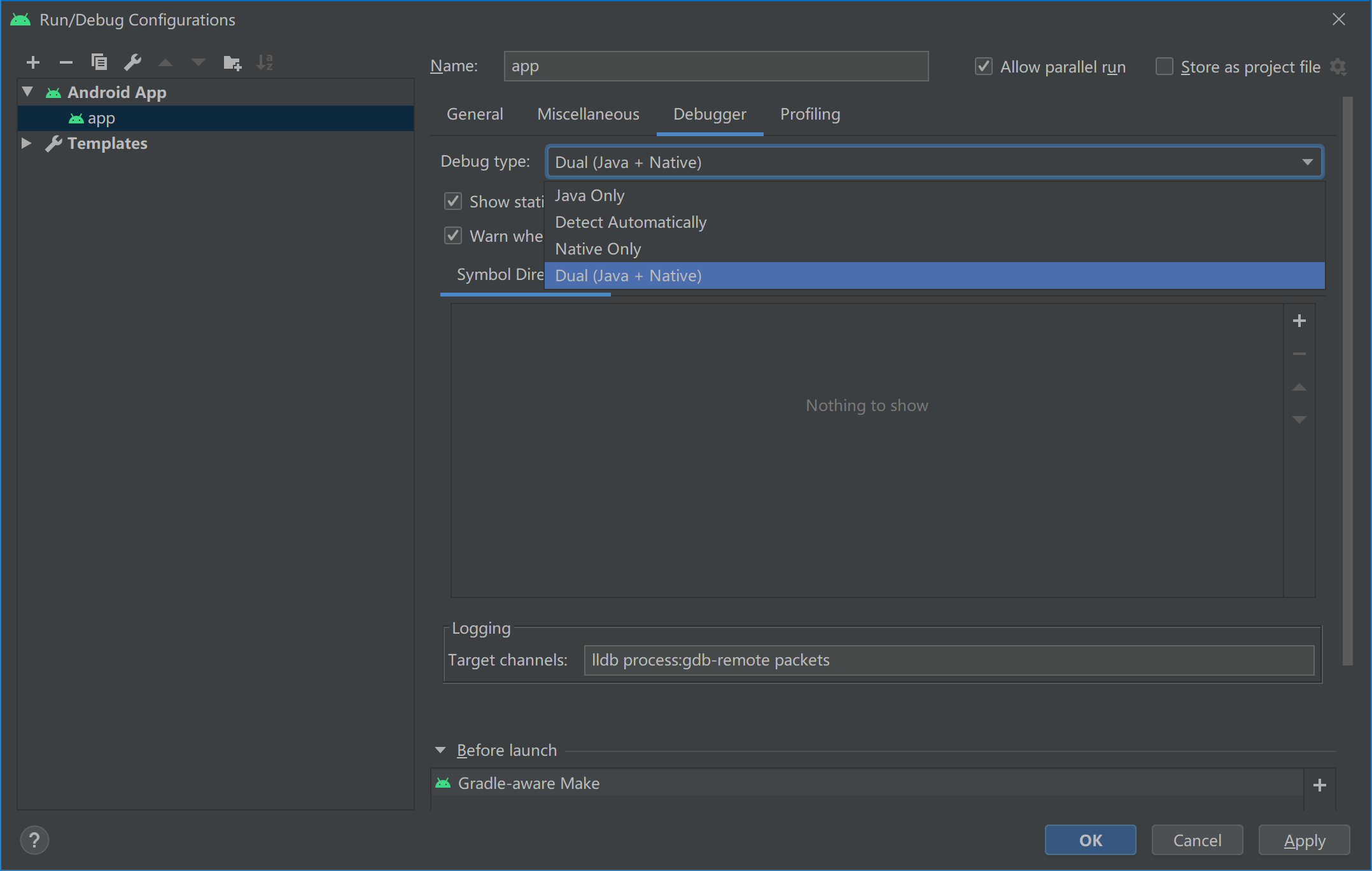
The information needed when debugging in Android Studio is shown below.
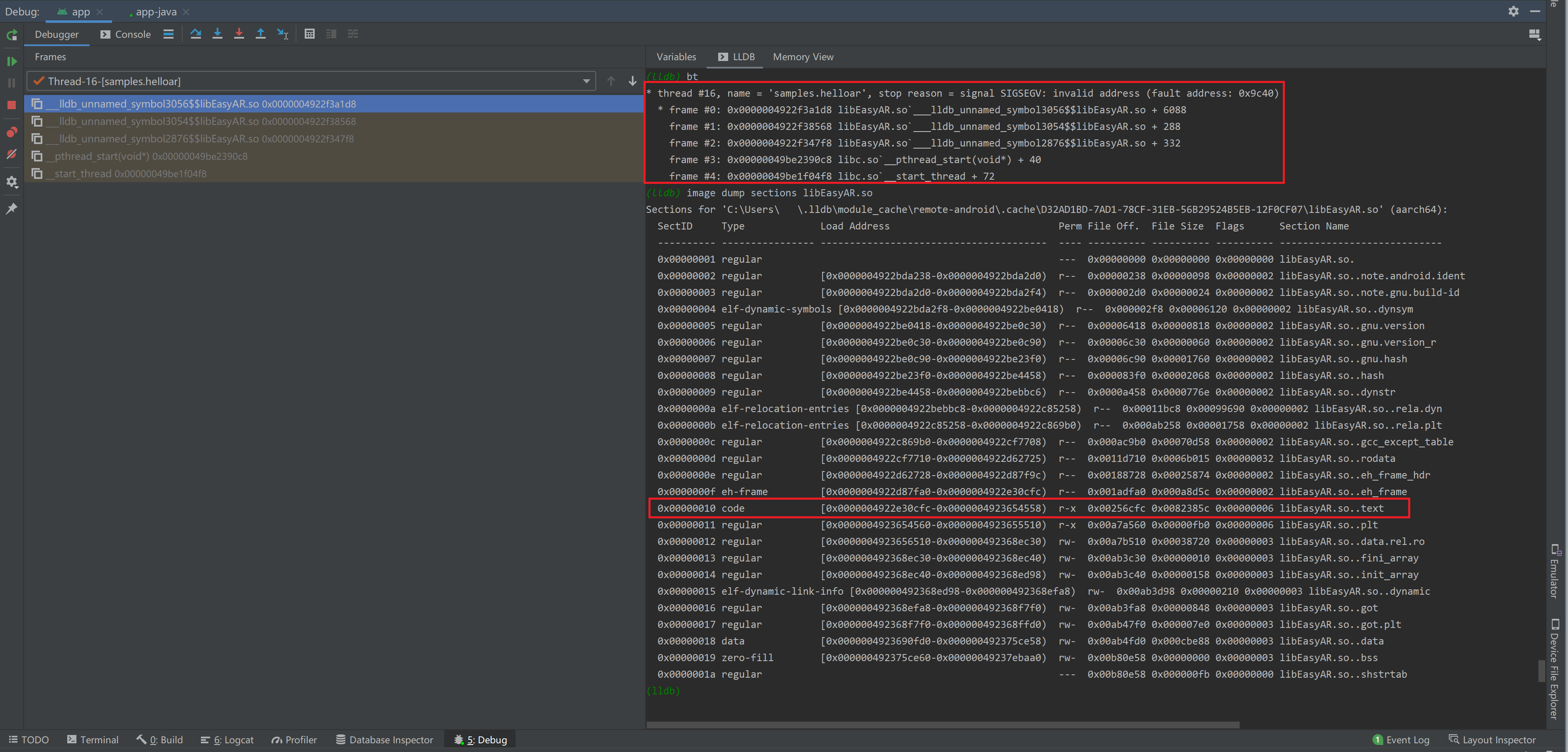
Enter bt in lldb to get the crash cause and code stack, as shown below:
(lldb) bt
* thread #16, name = 'samples.helloar', stop reason = signal SIGSEGV: invalid address (fault address: 0x9c40)
* frame #0: 0x0000004922f3a1d8 libEasyAR.so`___lldb_unnamed_symbol3056$$libEasyAR.so + 6088
    frame #1: 0x0000004922f38568 libEasyAR.so`___lldb_unnamed_symbol3054$$libEasyAR.so + 288
    frame #2: 0x0000004922f347f8 libEasyAR.so`___lldb_unnamed_symbol2876$$libEasyAR.so + 332
    frame #3: 0x00000049be2390c8 libc.so`__pthread_start(void*) + 40
    frame #4: 0x00000049be1f04f8 libc.so`__start_thread + 72
When the code stack contains content related to libEasyAR.so, it may indicate that the crash is related to EasyAR. If it does not, there is a high probability that the crash is unrelated to EasyAR.
Enter image dump sections libEasyAR.so in lldb to get the load address of the .text section in the dynamic library, as shown below:
(lldb) image dump sections libEasyAR.so
...
  SectID     Type             Load Address                             Perm File Off.  File Size  Flags      Section Name
...
  0x00000010 code             [0x0000004922e30cfc-0x0000004923654558)  r-x  0x00256cfc 0x0082385c 0x00000006 libEasyAR.so..text
...
Getting crash locations after release
Crashes may also occur after release.
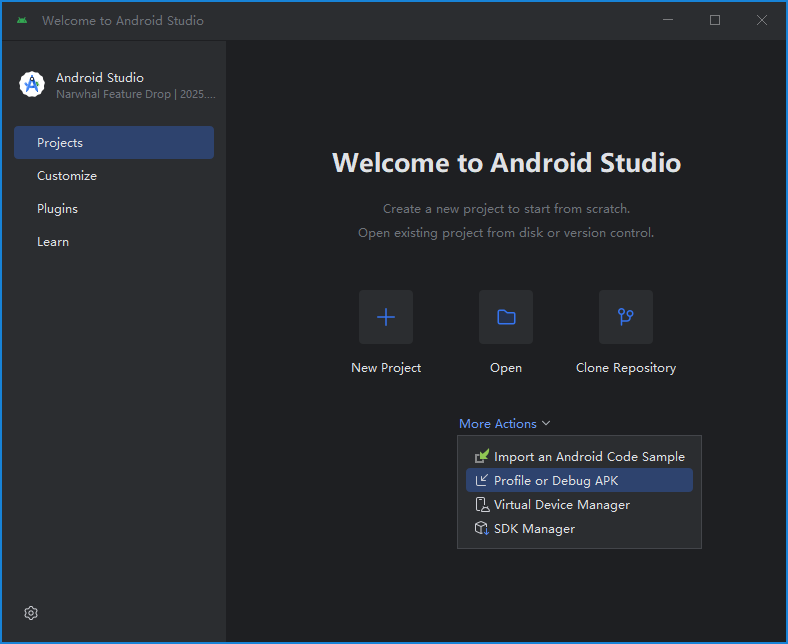
If a reproducible crash occurs, you can try using the Profile/Debug tool built into Android Studio. Then follow the development-time method to get the crash location.
If a crash is difficult to reproduce, you can use a crash reporting library to intercept application crash information and report it to a server. Note that the crash information must include both the code stack and the module load address. Since Android introduced ASLR (address space layout randomization) starting from 4.0, the dynamic library module load address may be different each time the application runs, which causes code addresses to change dynamically. Only by knowing the relative value between the code address in the code stack and the dynamic library module load address can you know where the program crashed.
When the code stack contains content related to libEasyAR.so, it may indicate that the crash is related to EasyAR. If it does not, there is a high probability that the crash is unrelated to EasyAR.
Other crash-related information
Version number of EasyAR Sense and EasyAR Sense Unity Plugin
For example, 4.7.0.11800-cf8e24e30
Community Edition / Enterprise Edition
CPU architecture
aarch64/armeabi-v7a