Log Analysis on Android
For logs on native (Android) and Unity (Android), refer to the following instructions.
How to Obtain Logs
You can obtain logs through Android Studio or adb logcat. Using adb logcat is recommended to obtain complete logs.
When using it, you may need to enable developer mode on the Android device, enable USB debugging or wireless debugging, and connect a USB cable or pair and connect through WLAN. Refer to Android Debug Bridge (Chinese English).
The following is an example of pairing and connecting through WLAN and using adb logcat.
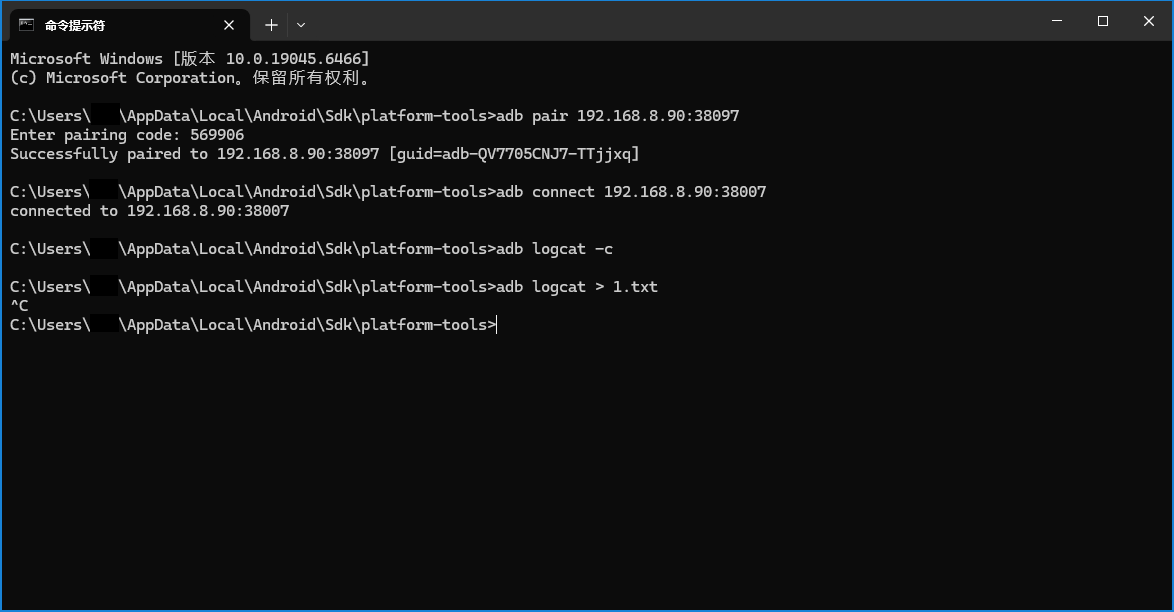
After connecting adb, first use adb logcat -c to clear previous logs, then run adb logcat > log.txt to output logs to log.txt. At this point, run the program until the error occurs, then use Ctrl + C to stop log output.
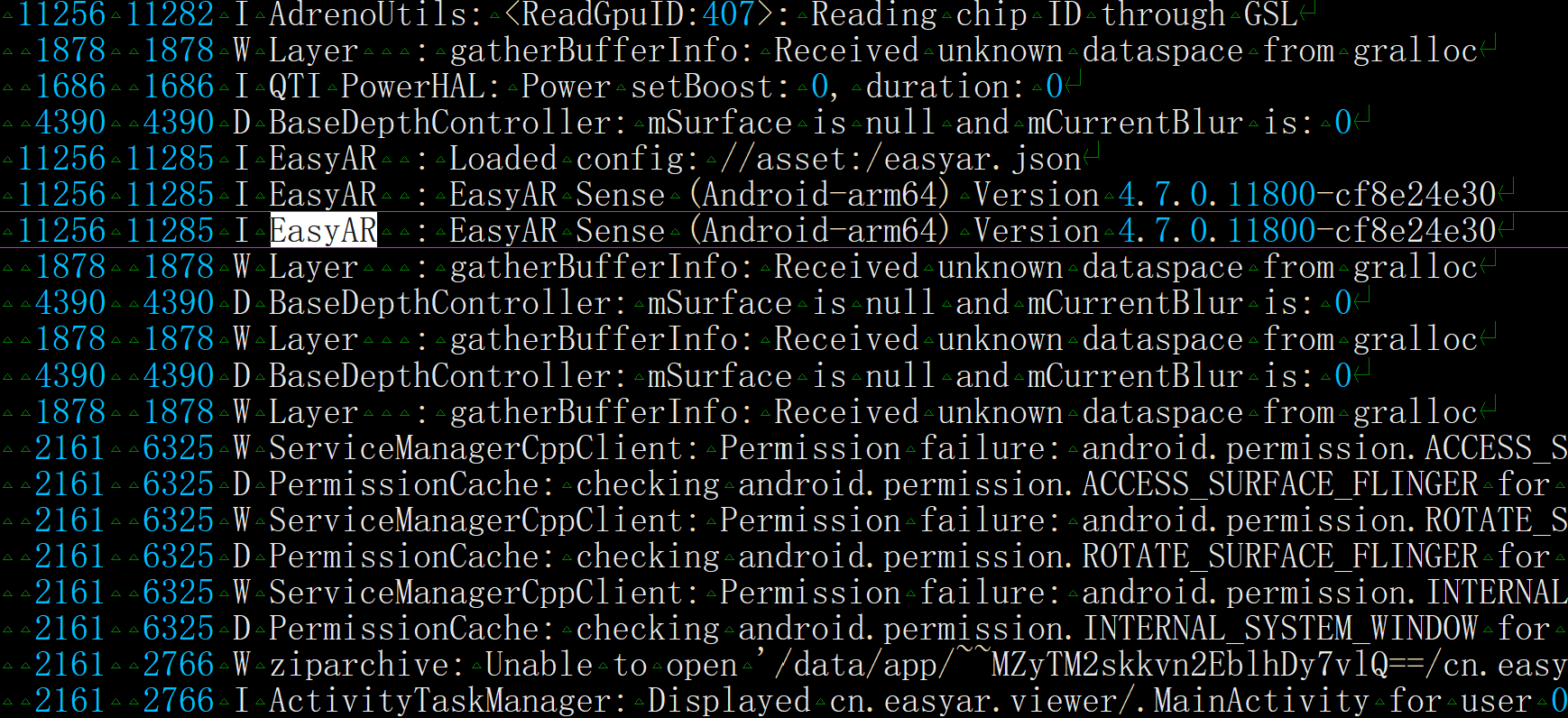
The following is an example log file.
Understanding Logs
Pay special attention to the following tags during debugging.
EasyAR
Logs output by EasyAR
Unity
Logs output by the Unity engine at the C# layer
UnityPlayer
Logs output by the Unity engine at the Java/JNI layer
libunity
Logs output by the Unity engine at the C++ or IL2CPP layer
AndroidRuntime
Logs output by the Android system when Java exceptions are uncaught
ActivityManager
Logs output by the Android system in situations such as ANR
When analyzing errors, you often need to determine the conditions under which the error occurred, such as the called function, parameters, and related state.
Notes for Feedback
When giving feedback, provide logs without tag filtering, because sometimes underlying system libraries output detailed error causes, and the tags of these libraries differ across systems.
In addition, include the following information with your feedback.
EasyAR Sense and EasyAR Sense Unity Plugin version numbers
For example, 4.7.0.11800-cf8e24e30
Community Edition/Enterprise Edition
CPU architecture
aarch64/armeabi-v7a