Use Mega Toolbox (Mini Program) to record dump files
When the WeChat Mini Program presentation does not match expectations, you can collect runtime data from the Mini Program and use the Mega Toolbox (Mini Program) tool to record dump files for issue feedback.
Mega Toolbox (Mini Program) verification tool
Open WeChat and scan the QR code below to enter the Mini Program.

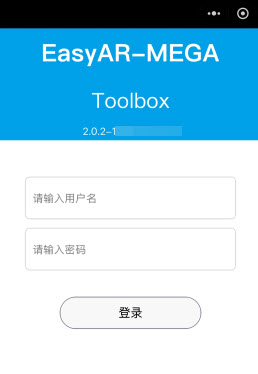
Enter account information to log in
Enter the username and password to log in to the account.
Select the problematic localization library
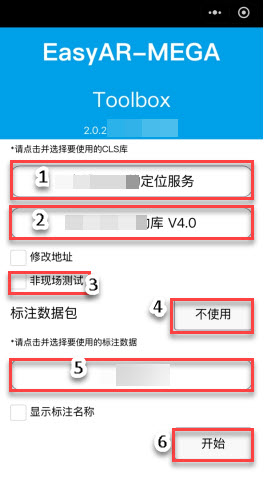
Select the localization service group.
Select the localization library.
Whether to test on site. If you are on site, you do not need to select it.
If you do not use an annotation package, click the
Do not useoption to enter the localization interface.If you use an annotation package, select the corresponding annotation package.
After selecting the annotation package, click the
Startbutton to enter the localization interface.
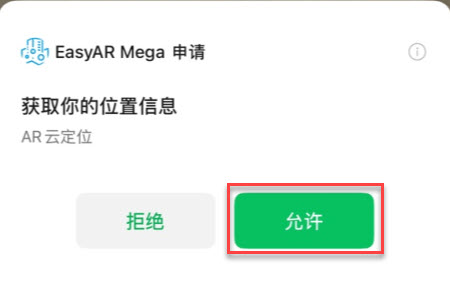
Permission authorization
Grant the Mini Program the corresponding permissions.
Enter the localization interface
Simulate the operation scenario where the anomaly occurs and try to reproduce the issue.
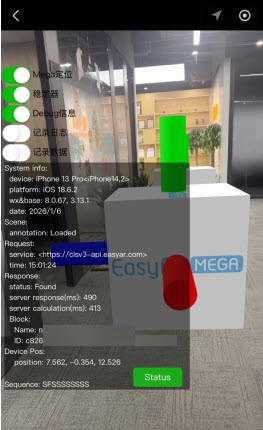
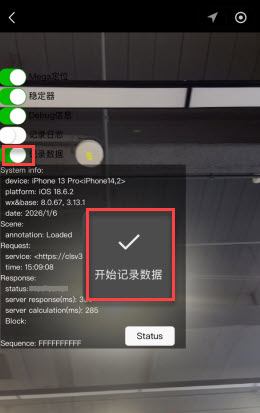
Start recording the dump file
Turn on the Record data switch to start recording the dump file. Start recording data appears on the interface.
Finish recording and export the dump file
- After the anomaly is reproduced, turn off the
Record dataswitch to end recording.
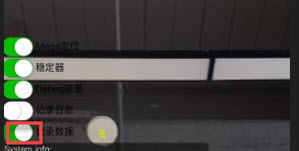
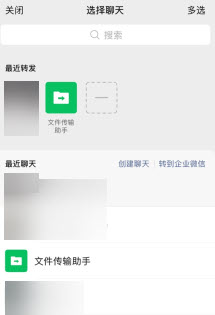
- In the pop-up sharing interface, send the file to “File Transfer Assistant”, and finally forward it to the EasyAR technical support team.