Manage the Localization Library
The localization library is a fundamental prerequisite for developing Mega applications.
Before You Start
- You have completed Mega Block Mapping.
- You have at least one available Mega Block repository.
Purchase a Cloud Localization Service Group
You can contact EasyAR's business team to purchase services or start a trial. The following is the online purchase process:
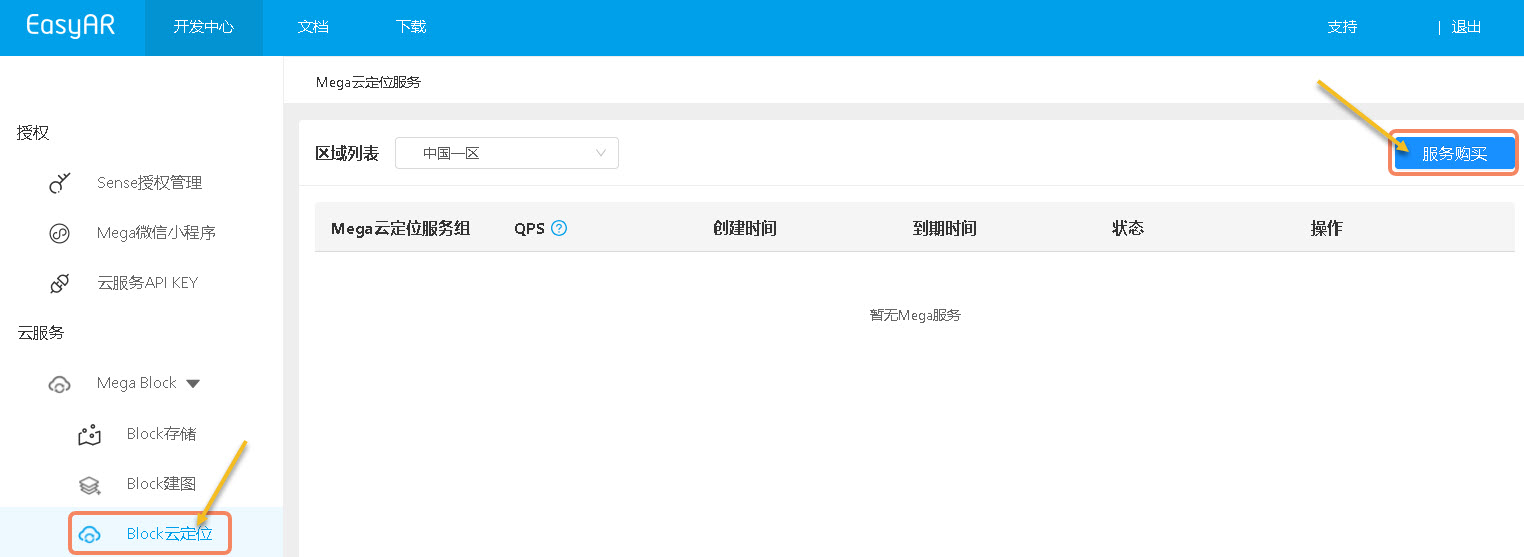
- Click "Block Cloud Localization" under the "Mega Block" column on the left.
- Click "Service Purchase" in the upper right corner.
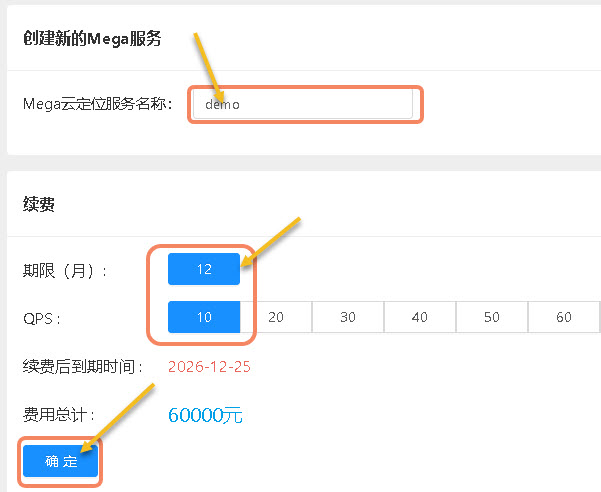
- Enter a cloud service name.
- Select the "Duration" and "QPS" (Queries Per Second, which measures how many query requests the server can process in one second).
- Click "OK".
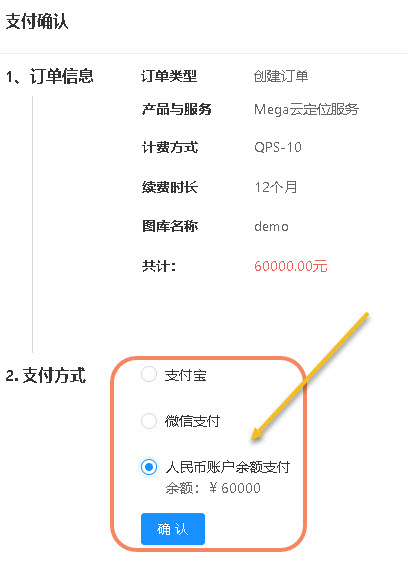
- Select a payment method and click "Confirm".
Create a Cloud Localization Service
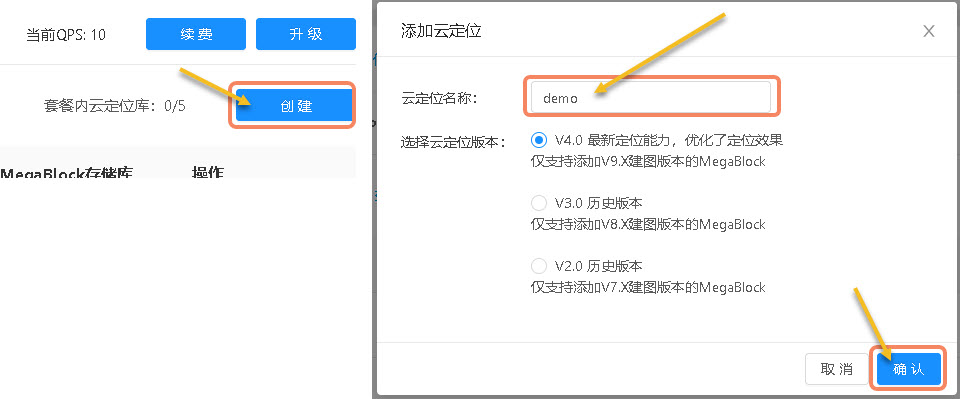
- Select a "Mega Cloud Localization Service Group" and click "Manage" on the right.

- Click "Create" on the right.
- In the pop-up window, fill in the "Cloud Localization Name".
- If you don't know the differences between cloud localization versions, keep the default options.
- Click "OK".
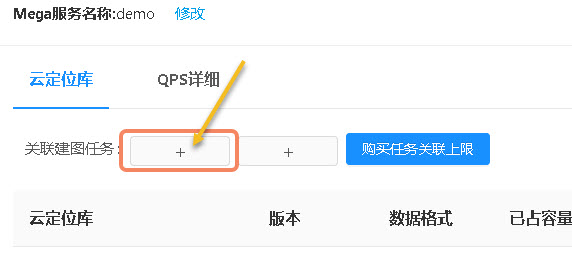
- Click the "+" sign after "Associate Mapping Task" to bind a mapping task.
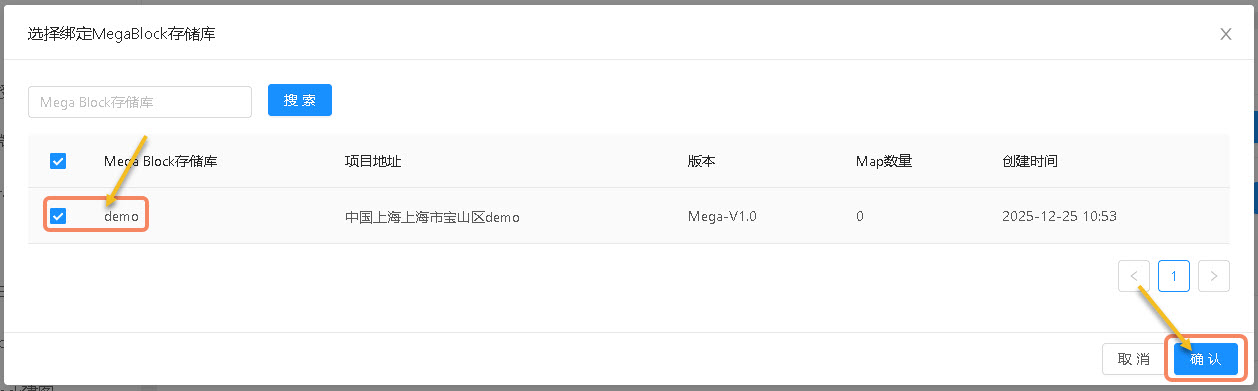
- Select one or more "Mega Block Repositories".
- Click "OK".
- Select a repository to bind.
- Click "Manage" to enter the management of the localization library.
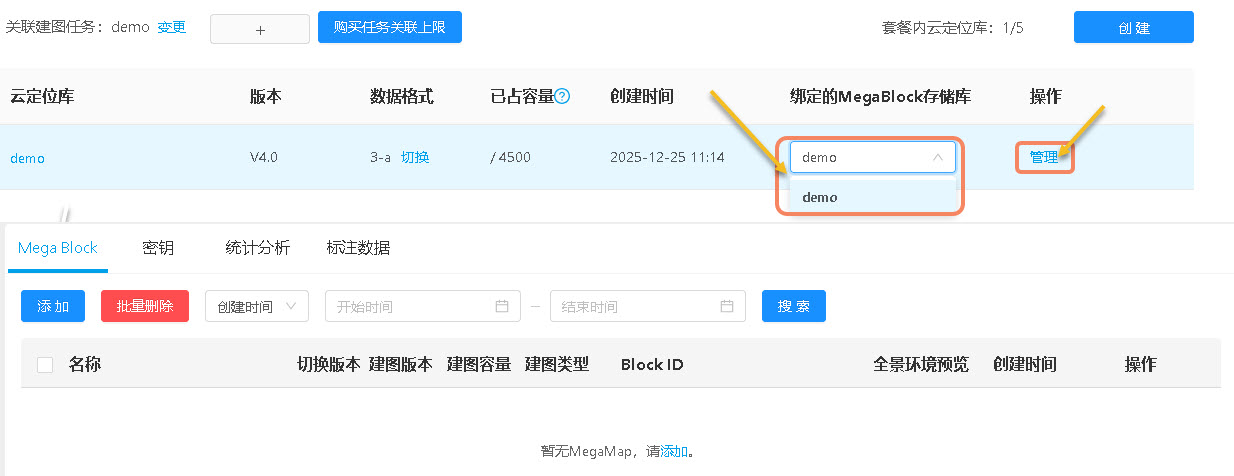
- Click "Add".
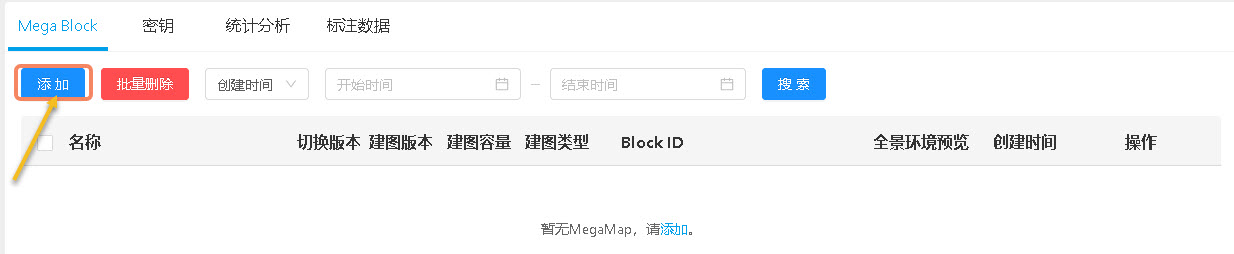
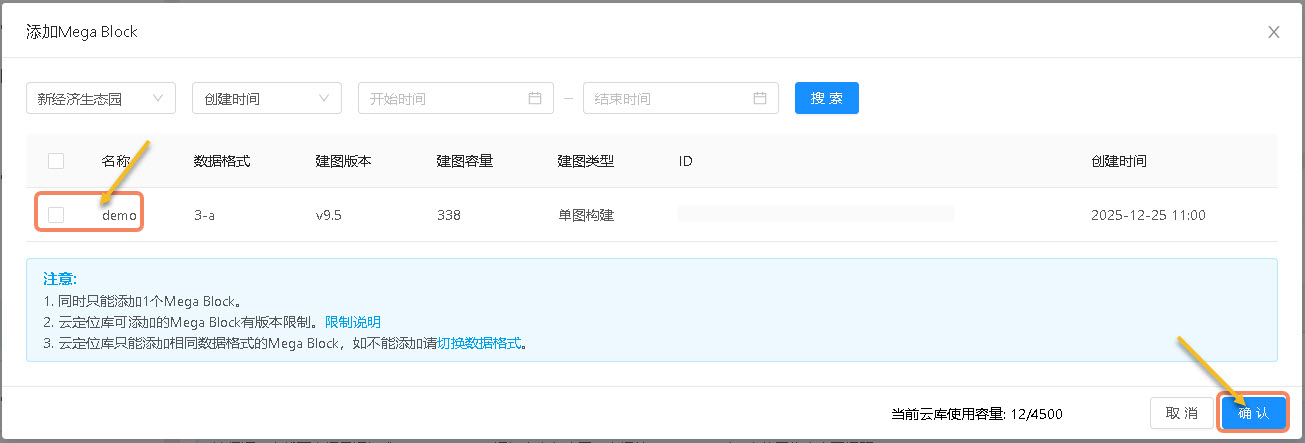
- Select a "Mega Block".
- Click "OK".
Keys
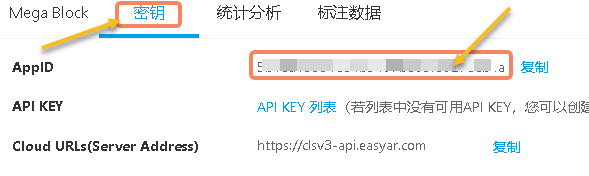
When developing Mega applications, you will use the "AppID" to generate an authentication Token.
- Click "Keys" to switch to the key query page.
- Click "Copy".
Statistical Analysis
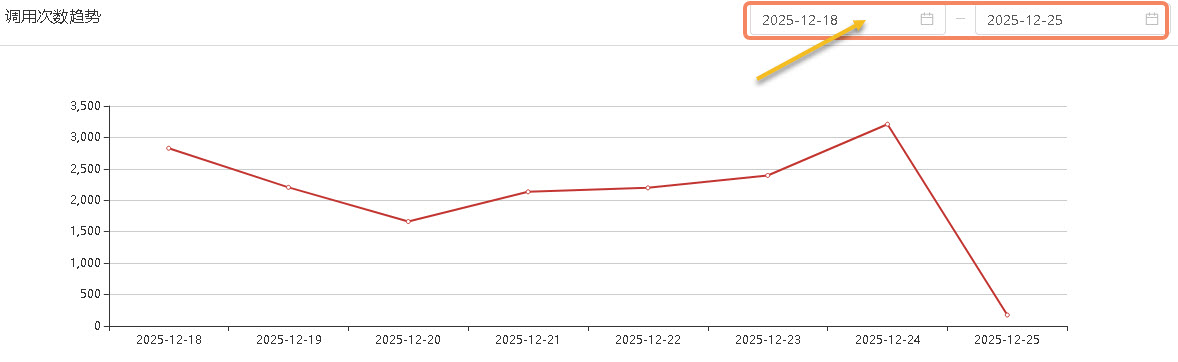
On the "Statistical Analysis" page, you can query the number of calls at each time point within 24 hours of each day and the trend of the number of calls per day.
- Click "Statistical Analysis" to switch to the statistical analysis page.
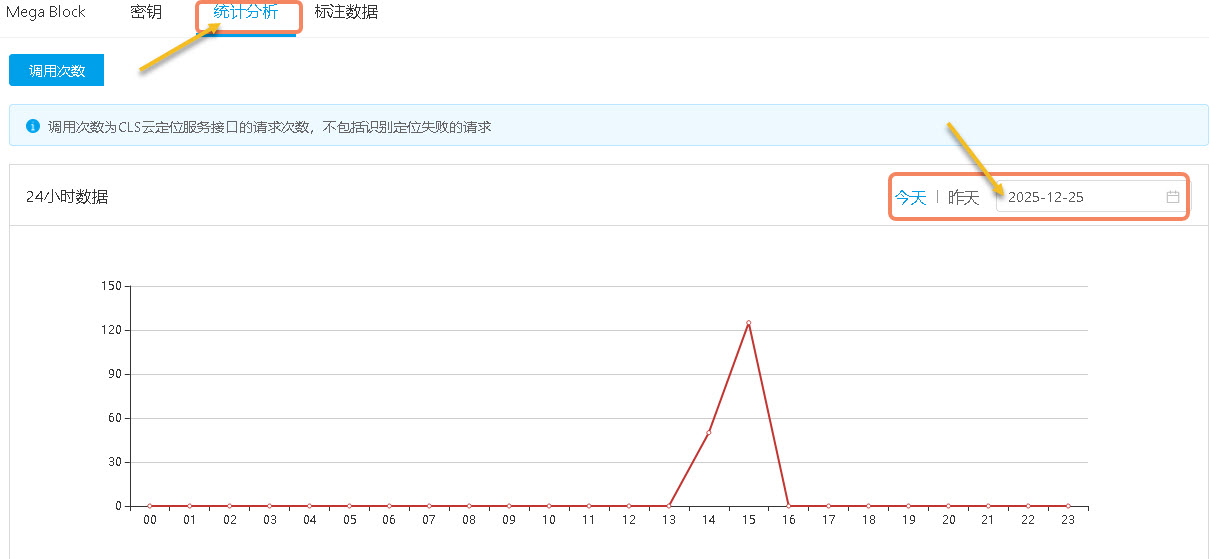
- Query the number of localizations at each time point within 24 hours of each day.
- Query the trend of the number of calls per day.
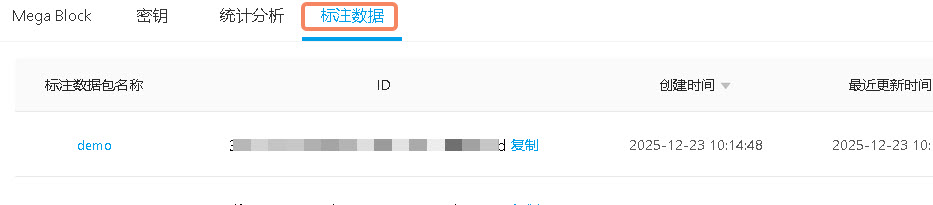
Annotation Data
On the "Annotation Data" page, you can query the annotation data created using the annotation tool.