Manage localization map libraries
A localization map library is a basic prerequisite for developing Mega applications.
Before you start
- Mega Block mapping has been completed
- At least one available Mega Block repository
Purchase a cloud localization service group
You can contact EasyAR sales to purchase a service or enable a trial. The online purchase process is as follows:
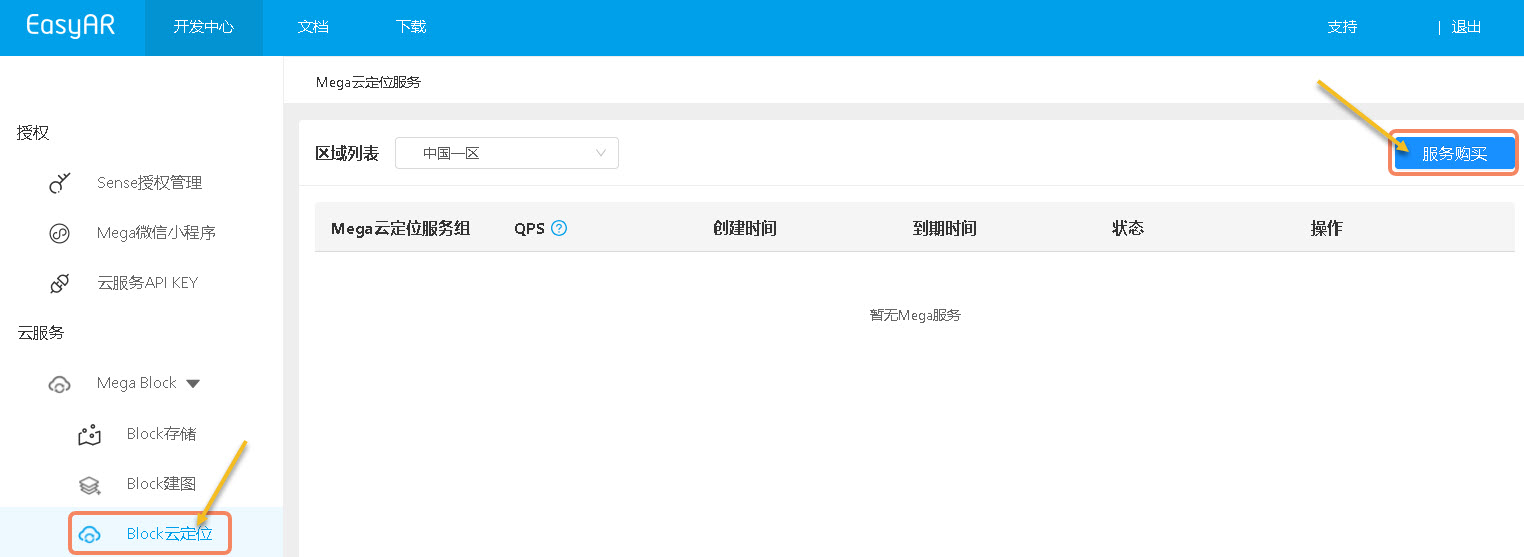
- In the left-side "Mega Block" section, click "Block cloud localization".
- Click "Service purchase" in the upper right.
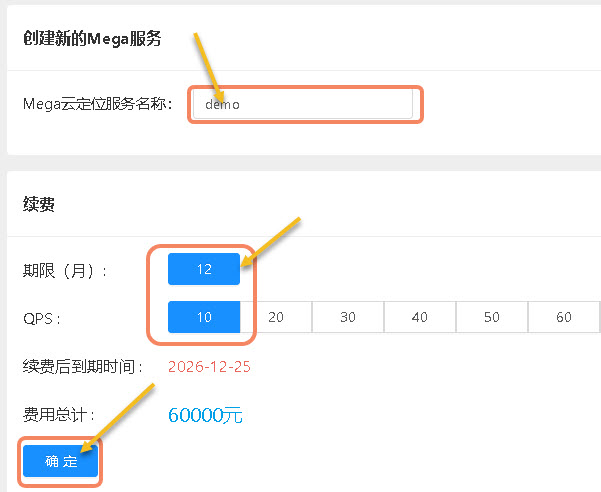
- Enter a cloud service name.
- Select "Duration" and "QPS" (queries per second, used to measure how many query requests the server can process in one second).
- Click "OK".
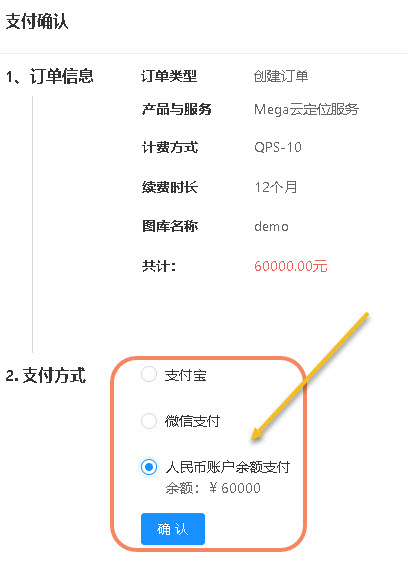
- Select a payment method and click "Confirm".
Create a cloud localization service
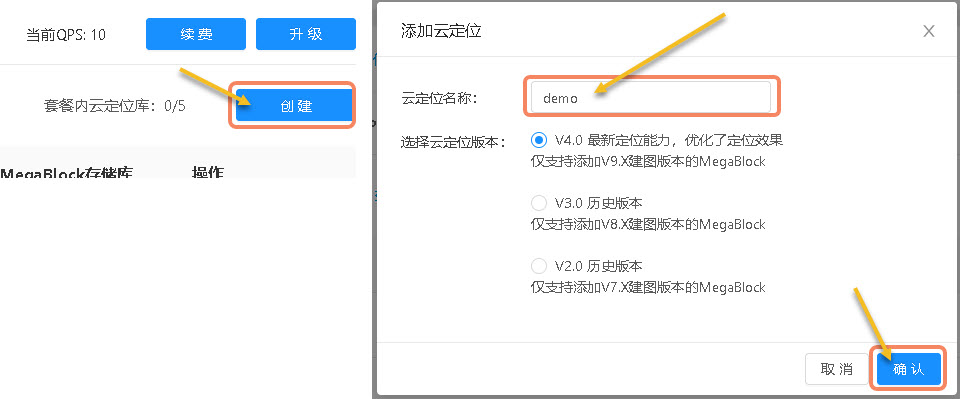
- Select a "Mega cloud localization service group" and click "Manage" on the right.

- Click "Create" on the right.
- In the pop-up window, fill in "Cloud localization name".
- If you do not know the differences between cloud localization versions, keep the default option.
- Click "OK".
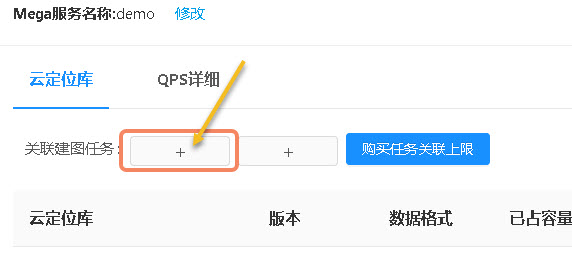
- Click the "+" symbol after "Associate mapping task" to bind a mapping task.
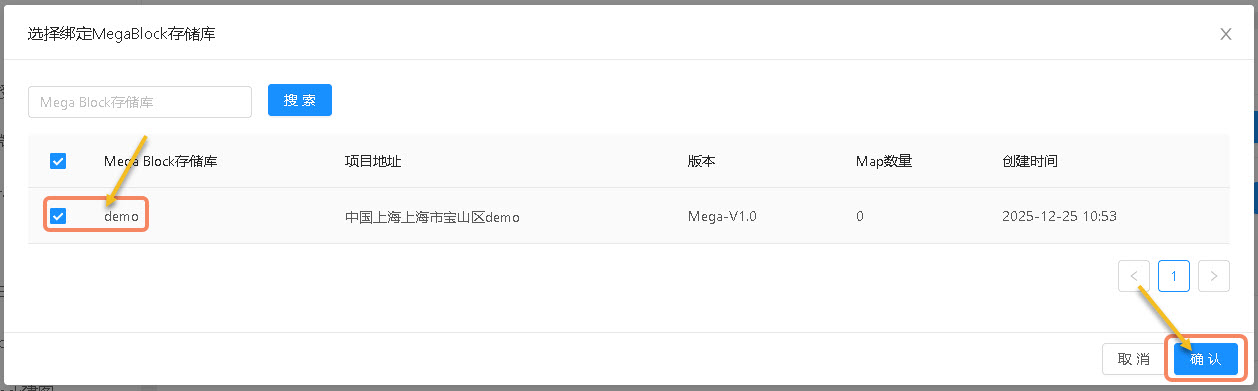
- Select one or more "Mega Block repositories".
- Click "OK".
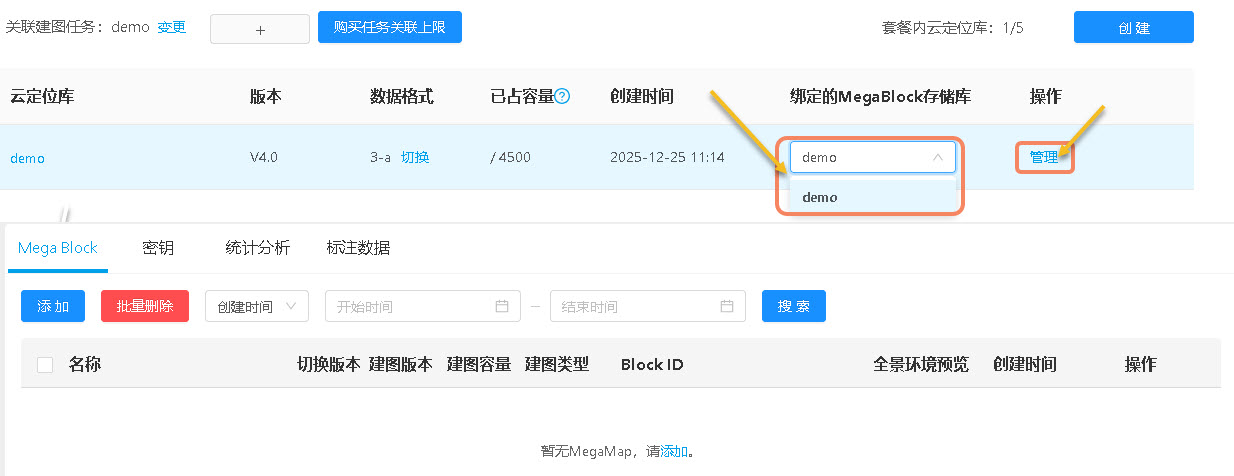
- Select a repository to bind.
- Click "Manage" to enter localization map library management.
- Click "Add".
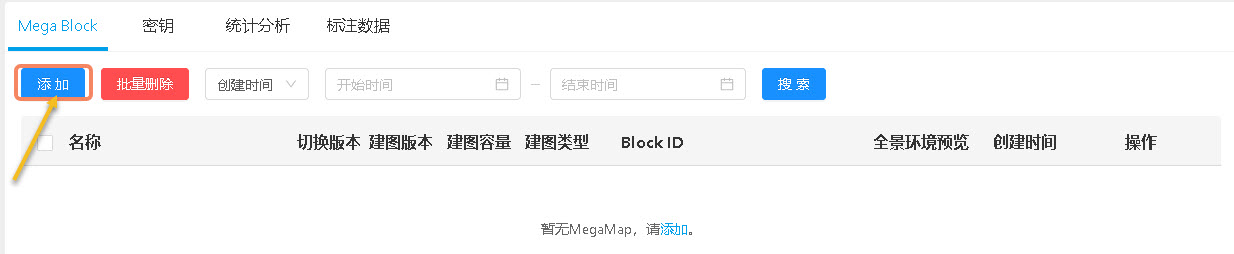
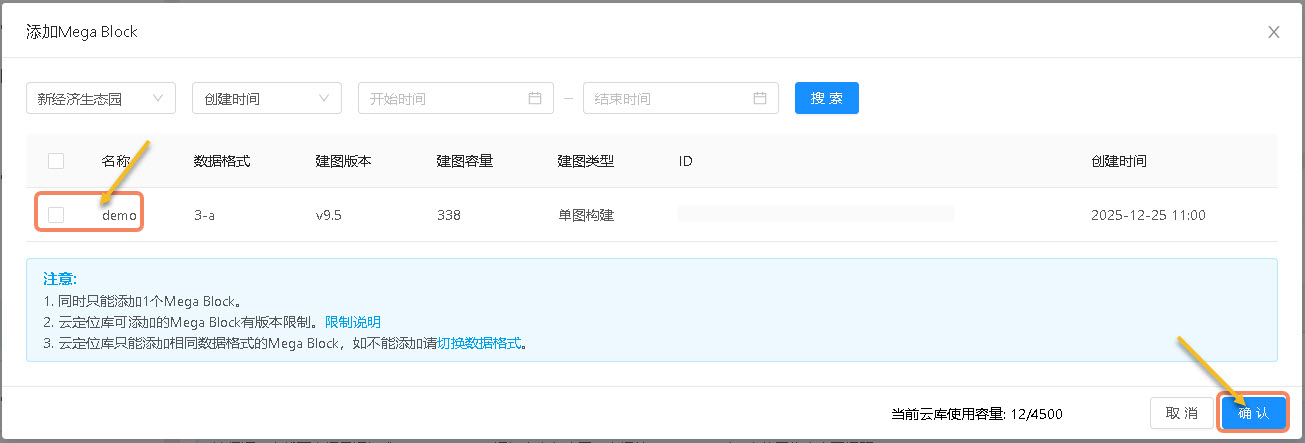
- Select a "Mega Block".
- Click "OK".
Keys
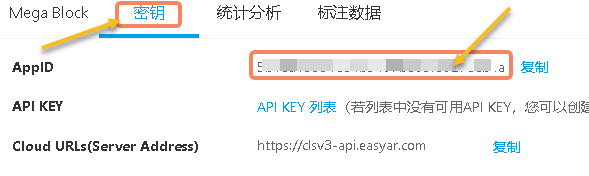
When developing Mega applications, you will use "AppID" to generate an authentication Token.
- Click "Keys" to switch to the key query page.
- Click "Copy".
Statistics
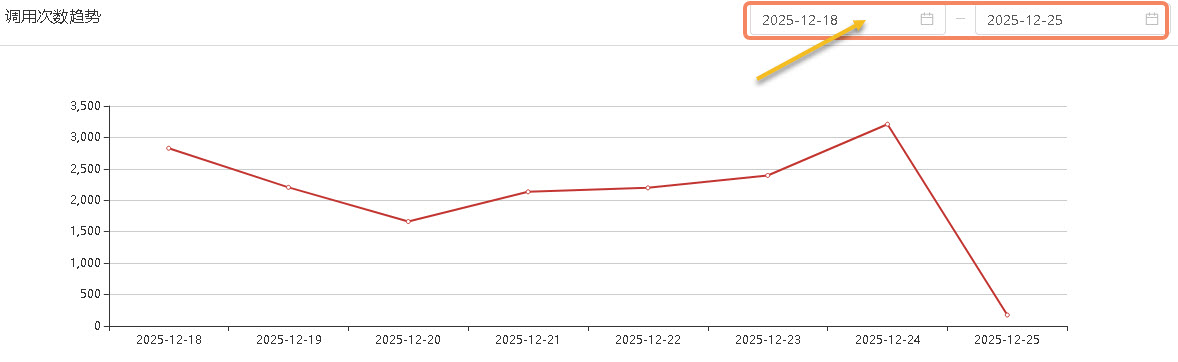
On the "Statistics" page, you can query the number of calls at each time point within 24 hours of each day, as well as the daily call count trend.
- Click "Statistics" to switch to the statistics page.
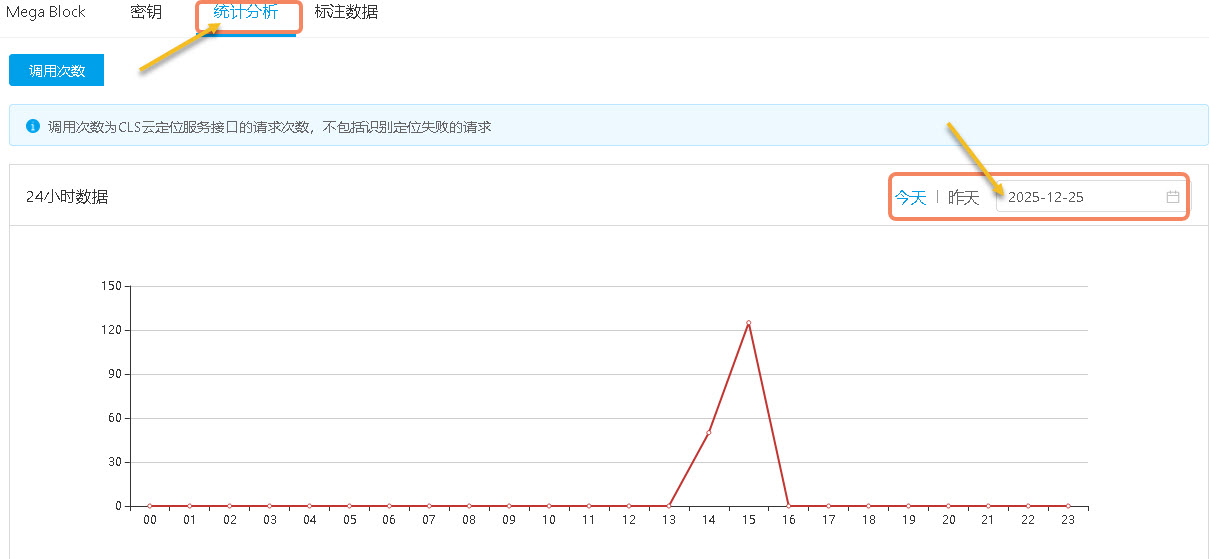
- Query the number of localizations at each time point within 24 hours of each day.
- Query the daily call count trend.
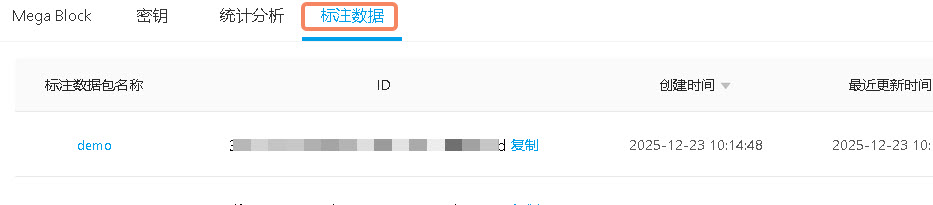
Annotation data
On the "Annotation data" page, you can query annotation data created with the annotation tool.