Capacity and quota expansion
This chapter briefly describes common expansion items in Mega services, applicable scenarios, and operation suggestions, so that you can choose an appropriate expansion strategy based on business scale and project requirements and prepare the necessary information.
Mainly includes:
- Additional cloud localization databases
- Binding additional mapping projects
- Map capacity of a single cloud localization database
- Mapping capability expansion: input video duration and multi-map fusion
Create additional cloud localization databases
When a single cloud localization service group needs more than the default number of localization databases (standard: 5; trial: 1), you can apply for additional cloud localization databases.
This type of expansion is currently mainly reviewed manually. Please contact an EasyAR consultant or sales representative to submit an application.
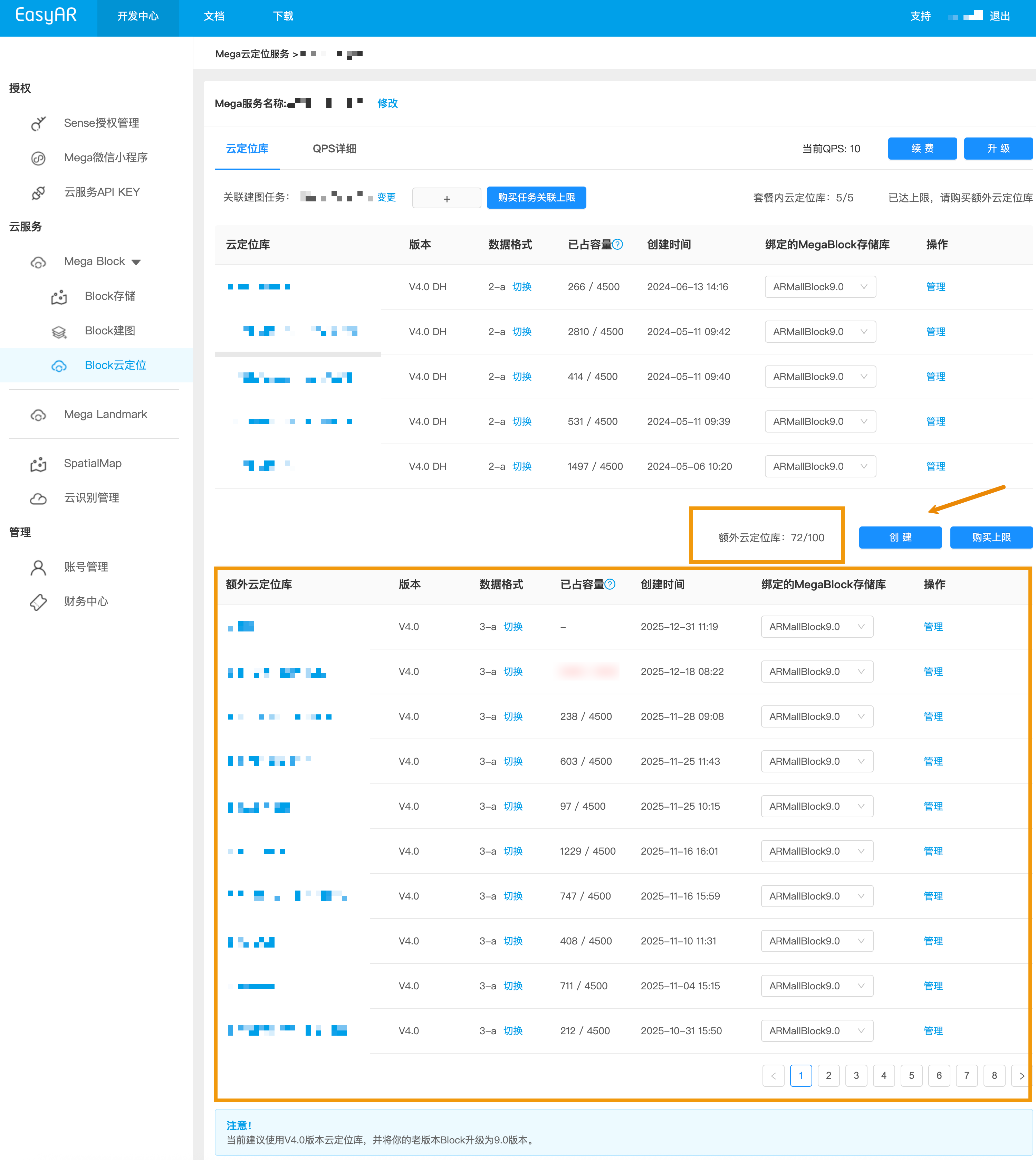
After expansion is approved, you can create and manage the new localization databases in the management interface.
The creation and management interface is shown below.
Bind more mapping projects
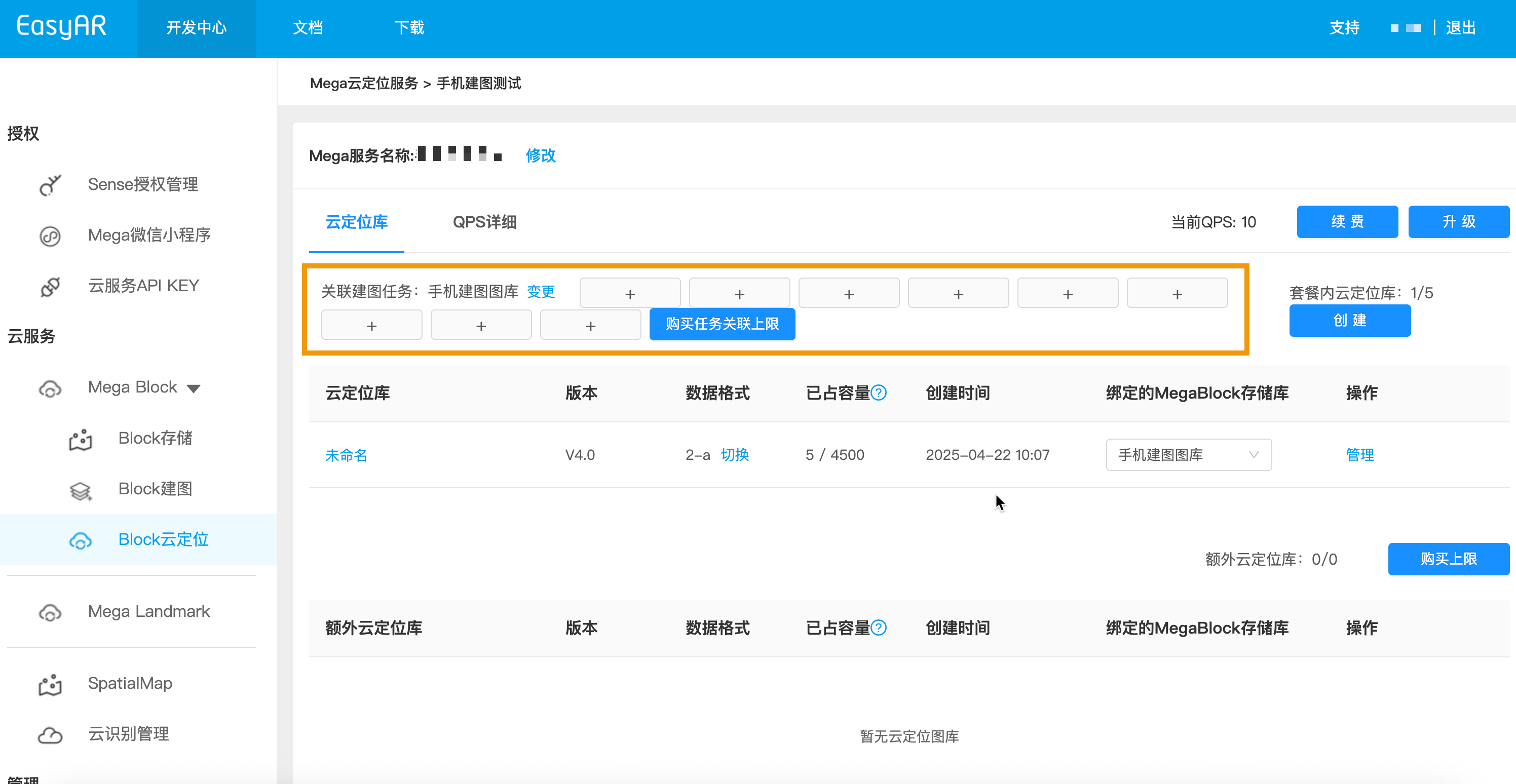
If you need to attach multiple mapping projects to the same service group (for example, splitting projects by floor or area but managing them under one service group), you can apply to unlock more association quota.
After unlocking, the management interface displays an available "+" operation button for adding more projects, as shown below.
Note
Operation tip: provide the list of projects to be bound and a description of their purpose, which helps evaluate permissions and quota allocation.
Increase the map capacity of a single cloud localization database
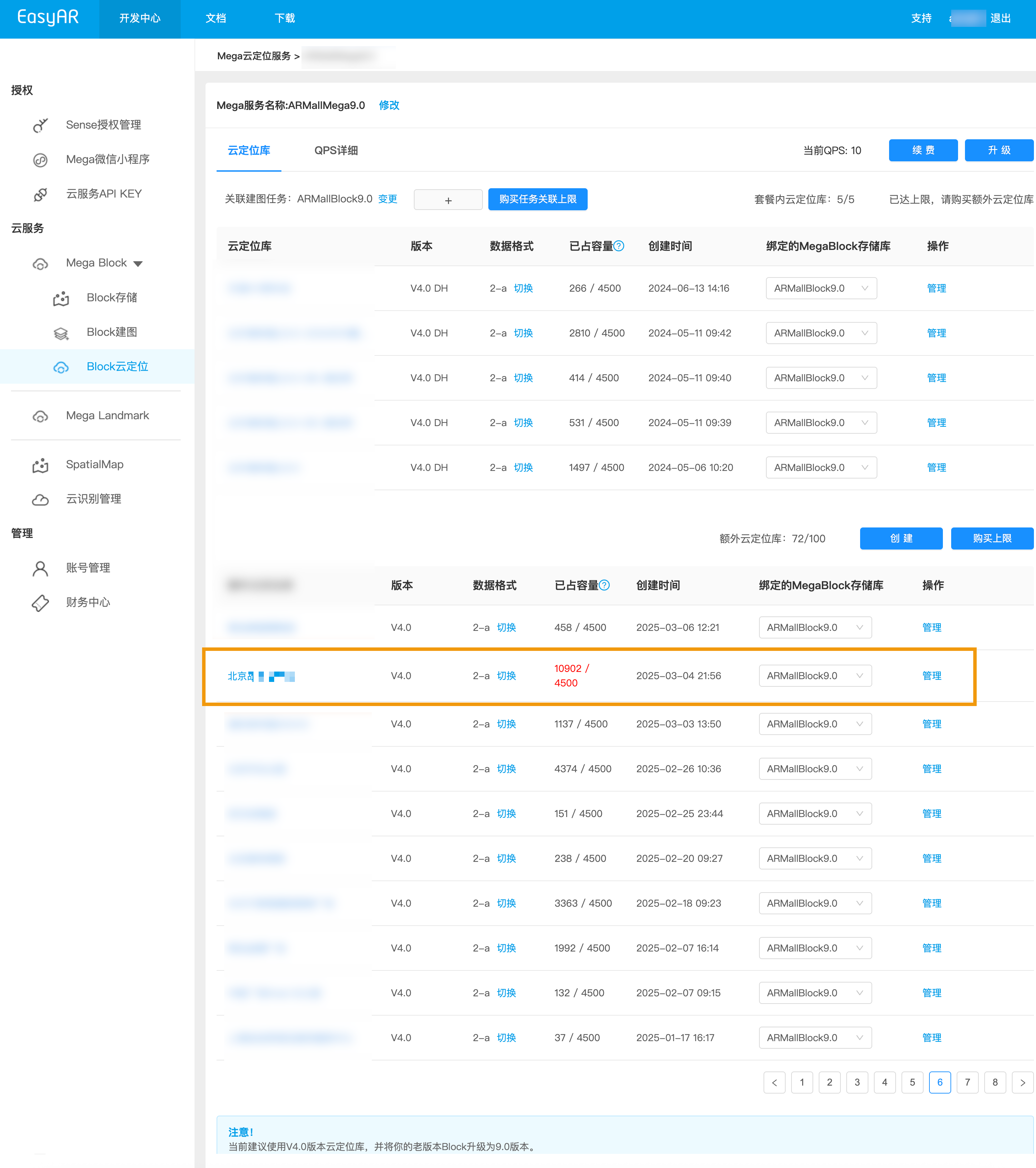
A single cloud localization database has an upper limit on the number of Mega Blocks that can be added (example default limit: 4500).
If you need to exceed the default limit, contact a business consultant and provide the following information so that sufficient resource expansion can be evaluated.
- Total expected number of Mega Block CC (EasyAR's private capacity measurement unit)
- AppId of the target localization database
- Usage period and concurrency of the target localization database
After unlocking, you can directly add maps in the cloud localization database. If the capacity limit is exceeded, a color warning appears in the occupied capacity, as shown in the box below.
Expand mapping capabilities
A single mapping task has limits on input video length and segment count (example: up to 16 segments × 8 minutes), and a single project may have a default limit on coverage area (example: 50,000 square meters).
For complex or large-scale scenes, it is usually recommended to:
- Split the space into multiple mapping tasks by floor or area;
- If you need to merge multiple maps, contact a consultant to apply for multi-map fusion permission and support.
This type of expanded mapping task (such as multi-map fusion and large-area mapping) requires approval and configuration by a consultant or sales representative.