QPS estimation and scaling
Concurrency is measured by QPS (Queries per second), which is the number of valid service requests received by the server per second. Whether localization succeeds or not, as long as the request carries the correct cloud localization map library AppId and passes authentication, it is counted in concurrency statistics.
After a device initializes successfully, it sends localization requests at a default frequency of once per second. Due to network latency and differences in request arrival time, instantaneous concurrency may exceed the QPS limit. For example, 10 QPS can theoretically support 10 devices, but if more than 10 requests are received in the same second, the excess requests will be rejected. To ensure service stability in multi-device concurrent scenarios, it is recommended to reserve some redundancy when purchasing QPS. For example, when supporting 10 devices, you can configure 11-12 QPS.
Cloud localization service groups provide 10 concurrent requests by default, which can meet the needs of most application scenarios. For scenarios with higher concurrency, we also provide flexible resource scaling options:
- During high-concurrency periods such as holidays, you can choose a short-term scaling package to temporarily increase concurrency capability
- For applications with a large number of users that require stable high-concurrency support, extra concurrency resources can be bound to the cloud service group for the long term within its validity period
On the basis of 10 QPS, you can flexibly choose short-term supplementary packages or increase fixed concurrency quotas for the long term to meet resource requirements at different business stages.
Behavior when concurrency exceeds the limit
When requests instantaneously exceed the allocated QPS, the service returns the following error message (example):
statuCode: 21, message: "Exceed your QPS limitation"
If trial users cannot localize, it is likely due to insufficient QPS. It is recommended to use Mega Toolbox to open logs and check response messages, as shown below:
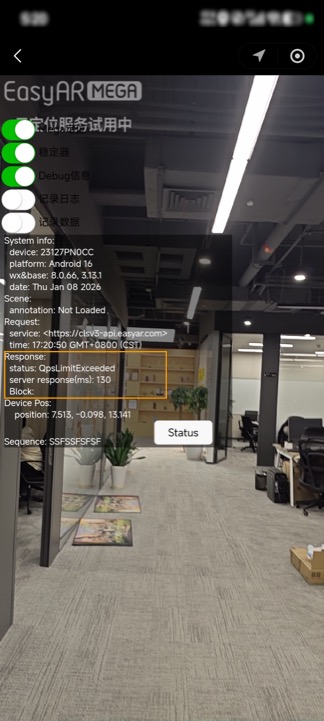
Note
Trial users have a relatively small concurrency quota. When localization fails, pay attention to whether there is an over-limit error message.
Concurrent QPS scaling
You can expand the concurrency quota in two ways:
- Consult business or customer service offline (suitable for large-scale, long-term, or customized requirements)
- Upgrade directly online in the management console (suitable for temporary or small-scale scaling)
Offline business consultation upgrade
When the expected daily concurrency exceeds 50 QPS, it is recommended to contact EasyAR sales or customer service to arrange capacity expansion and resource guarantee. After scaling, log in to the developer backend to confirm whether the quota has taken effect.
The process for confirming the concurrency quota is shown in the boxed area below:
Operation steps:
- Developer Center -> Block Cloud Localization -> Cloud localization service group -> Current QPS
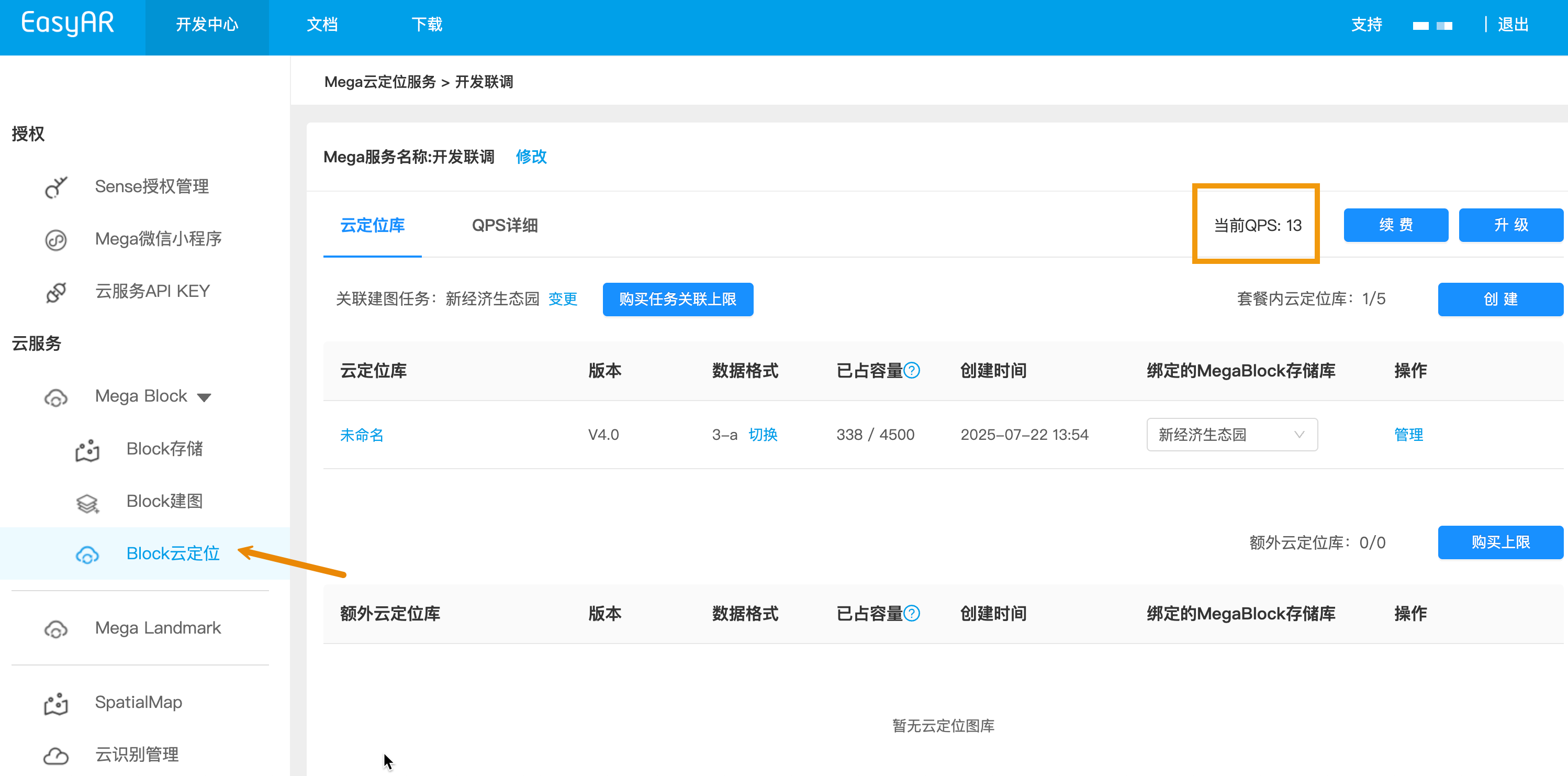
It is recommended to confirm the upgraded QPS quantity and validity period. You can view them in the EasyAR management interface. The next section introduces the operation: Concurrent QPS management
Online upgrade
The console provides two entries for online QPS upgrade, as shown below:
Developer Center -> Block Cloud Localization -> Cloud localization service group -> Upgrade
Developer Center -> Block Cloud Localization -> Cloud localization service group -> QPS details -> Upgrade
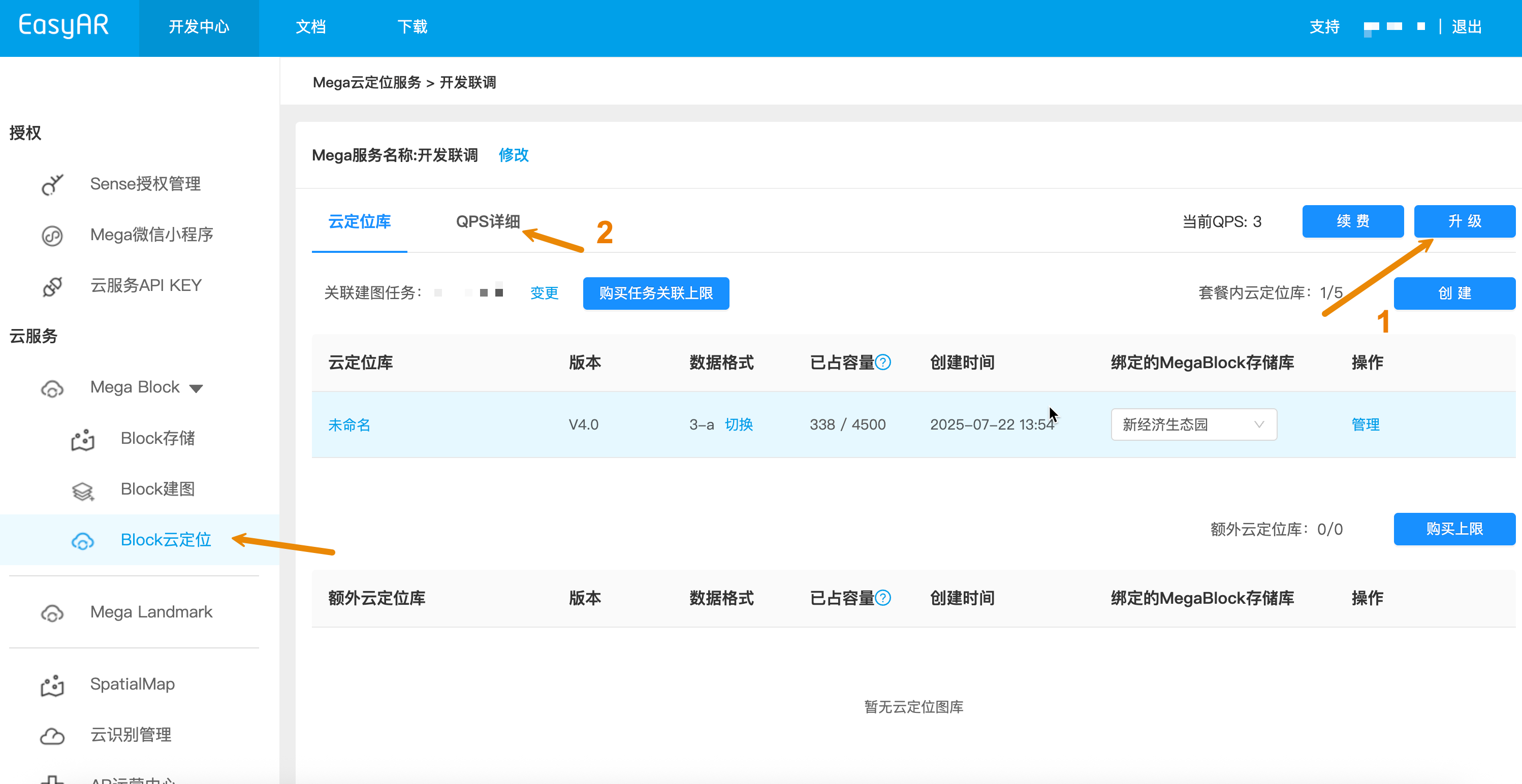
Important
For large concurrency requirements above 50 QPS, business consultation is still required to ensure stable resource supply.
Manage concurrent QPS
Concurrency management mainly includes:
- View current QPS quantity
- QPS scaling
- Upgrade the validity period of some QPS
Management interface
Operation steps
- Log in to Developer Center -> Block Cloud Localization -> Cloud localization service group -> QPS details
Upgrade QPS quantity and validity period
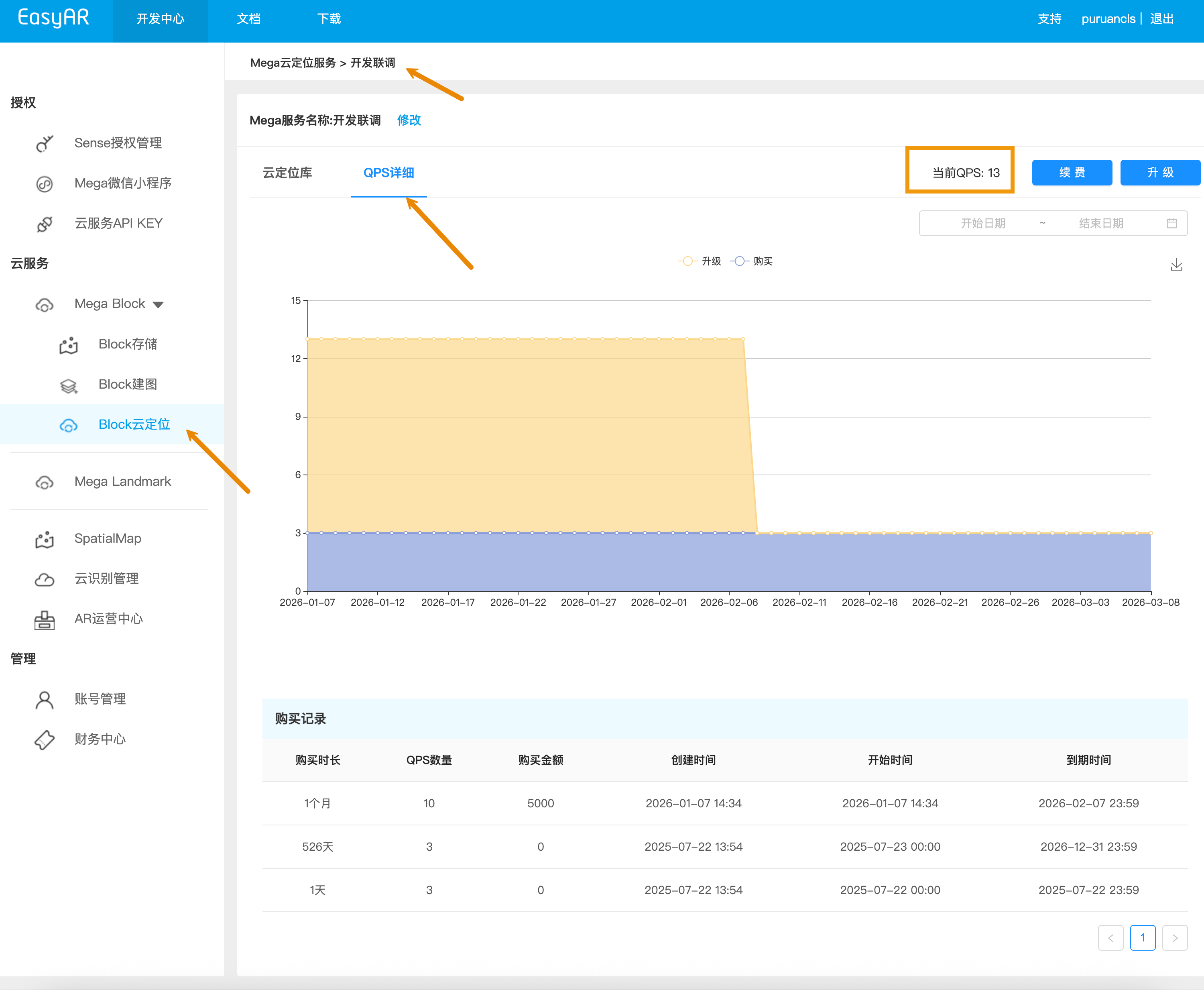
After entering QPS details, the interface is shown above. The current QPS quantity is displayed in the box on the right side of the image.
The timeline in the middle of the interface shows the validity periods of the base QPS part and the upgraded QPS part.
The purchase records at the bottom show the upgrade orders and validity period details.
Recommendations
- Estimate expected peak concurrency rather than average concurrency, and reserve redundancy for the peak (for example, if the peak is 10 QPS, it is recommended to purchase 11-12 QPS).
- During holidays or events, you can temporarily purchase short-term supplementary packages to meet high-concurrency needs.
- Verification after scaling: use Mega Toolbox in high-concurrency scenarios to confirm that requests are not rejected and responses are stable.
- If continuous rejection or exceptions occur, collect logs and contact the support team for troubleshooting, including the time window, the cloud localization map library AppId, and preferably packet capture files containing request samples and error codes.