Update Localization Service with Lossless Update Results
This article describes how to add the Block from lossless update mapping results to a cloud localization database, so that Mega-related features can be used in actual applications.
Enter the Cloud Localization Database Management Page
Log in to EasyAR Developer Center, choose
Mega Block->Block Cloud Localizationin the left menu bar, select the corresponding Mega cloud localization service group, and clickManage.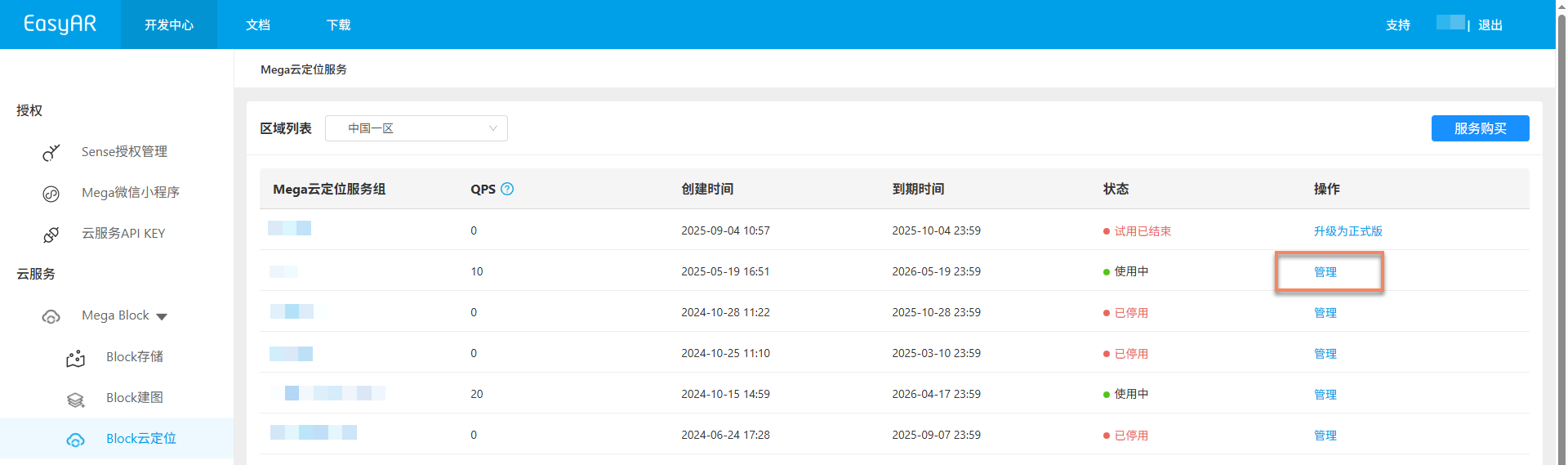
Select the corresponding cloud localization database and click the
Managebutton to enter the cloud localization database management page.
Load the Lossless Update Result Block
Choose the corresponding operation according to whether the original Block is still in the cloud localization database:
The Original Block Is Still in the Cloud Localization Database
Click the
Switchbutton.
In the pop-up dialog, select the required lossless upgrade Block and click the
Confirmbutton.- After confirming the version switch, the system first deletes the original version map from the cloud localization database, and then adds the new version map.
- This operation replaces the existing Block.
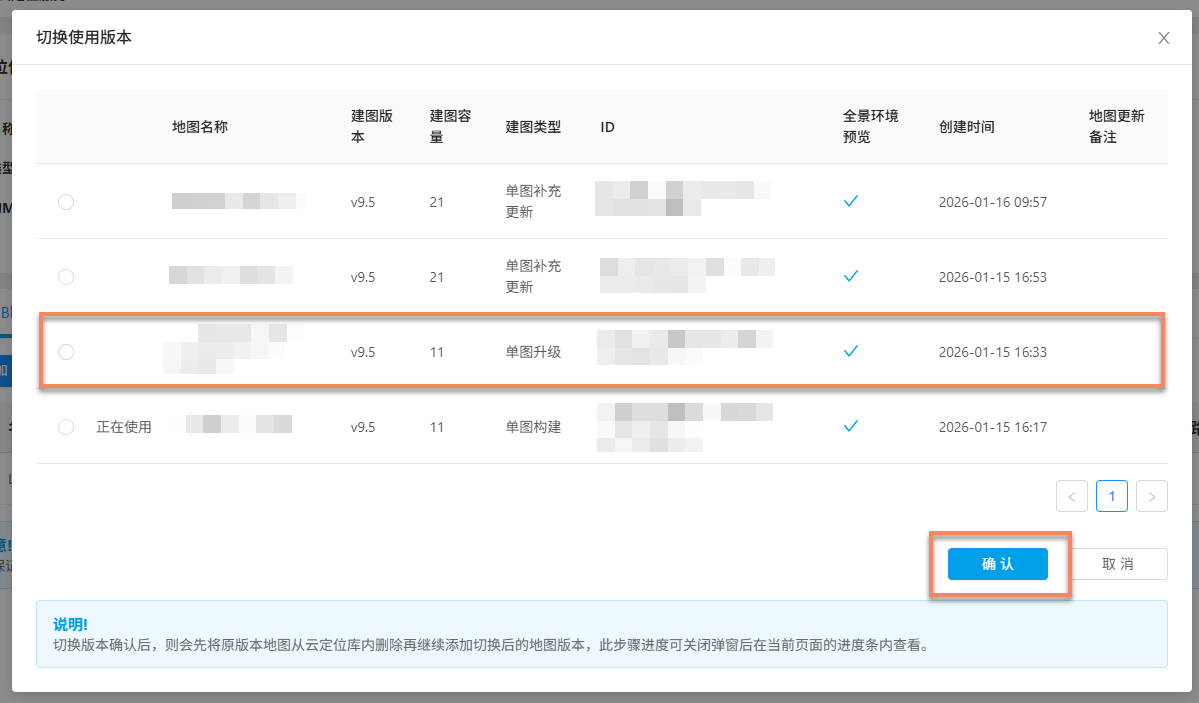
After confirming the switch, you can view the add progress on the page.
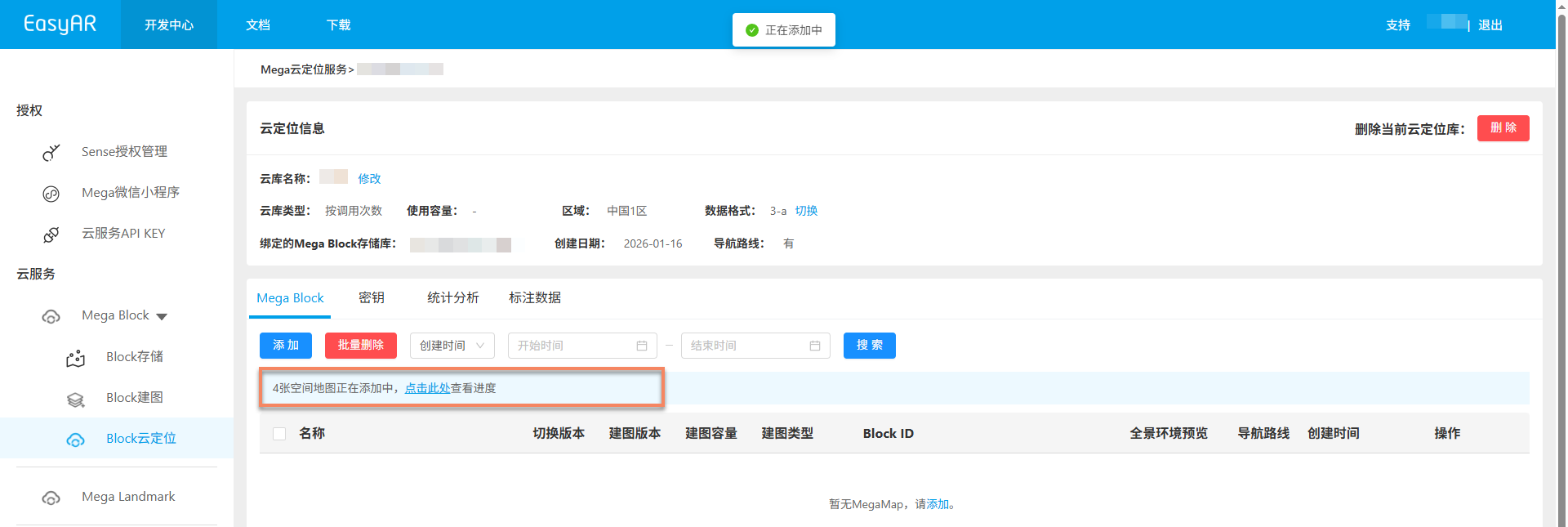
If added successfully, the corresponding Block appears in the Mega Block list of the cloud localization database.
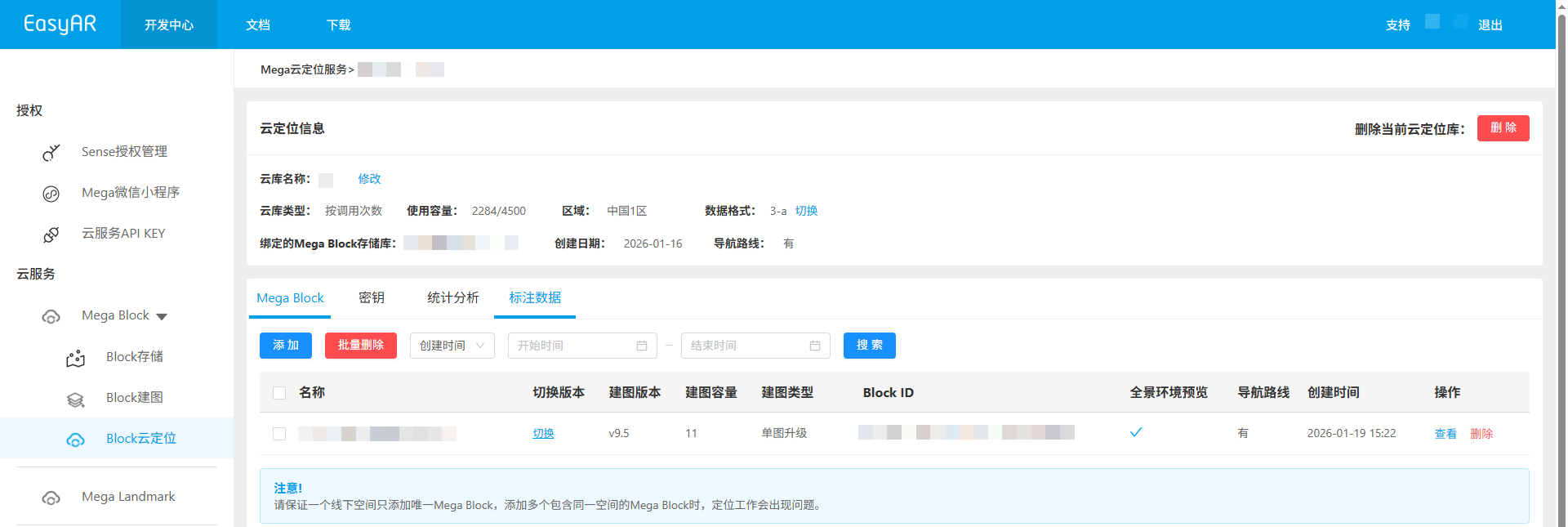
If adding fails, click the
Clear Taskbutton in the progress pop-up window and add the Block again.
The Original Block Is Not in the Cloud Localization Database
Click the
Addbutton.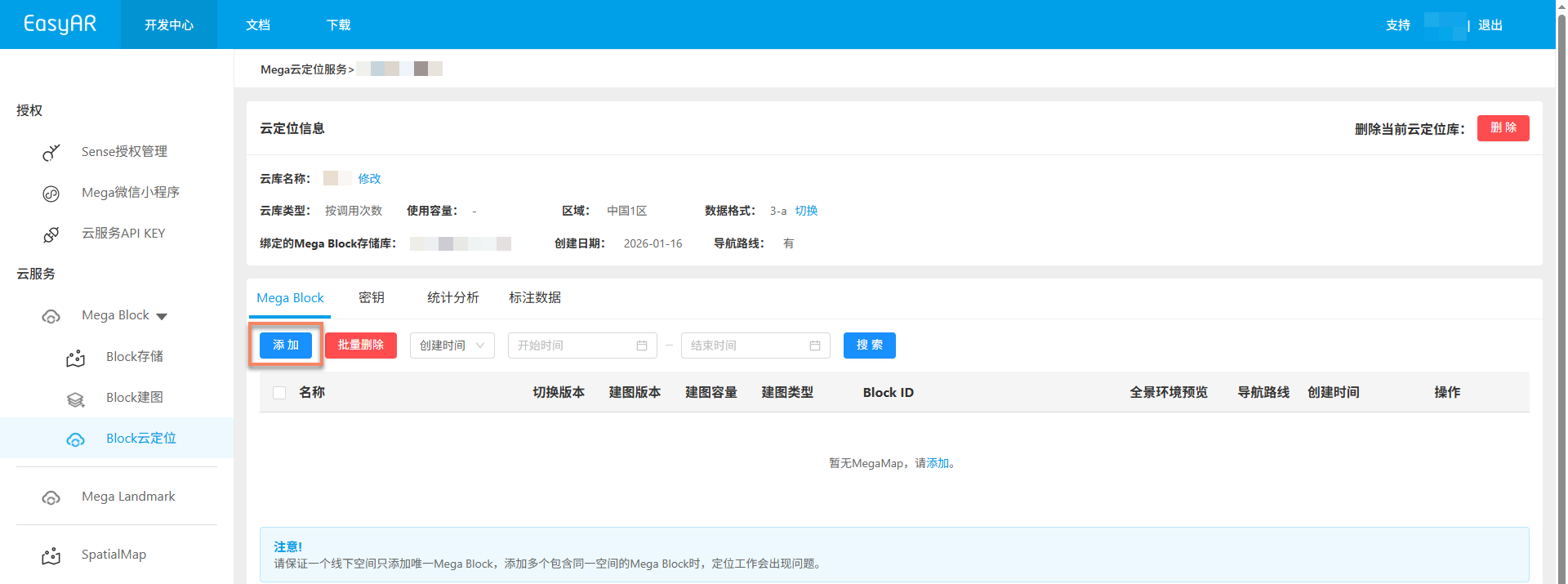
In the pop-up window, select the corresponding parent map and click the
+button to view the corresponding lossless update Block. Select the lossless upgrade Block to add, and finally click theConfirmbutton at the bottom of the pop-up window.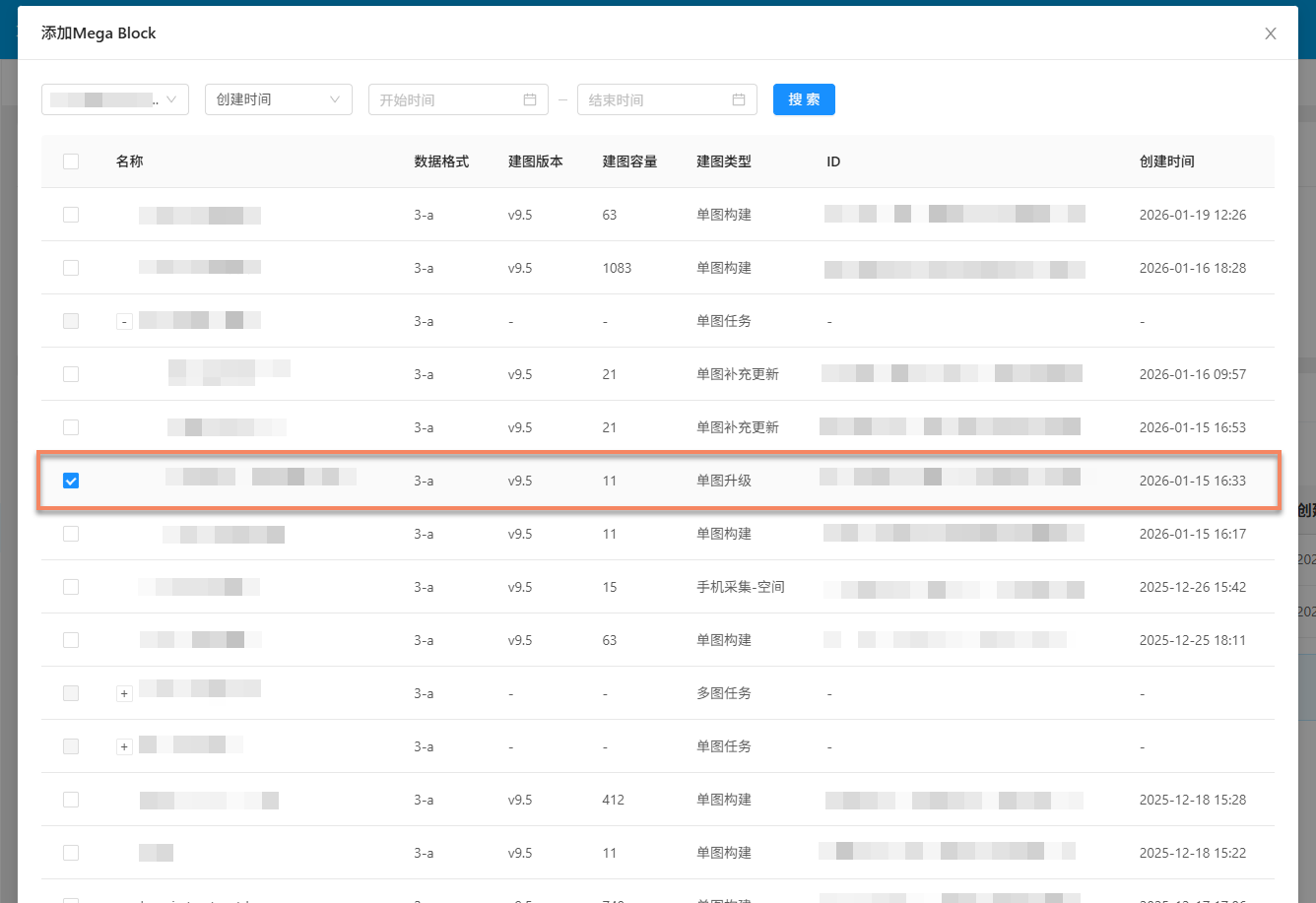
Note
- Only one Block can be added at a time
- A cloud localization database can only add Blocks with the same data format. Switch the data format of the cloud localization database if necessary
- Different versions of cloud localization databases have restrictions on Block mapping versions. For details, see the notes at the bottom of the pop-up window
After confirming the addition, you can view the add progress on the page.
If added successfully, the corresponding Block appears in the Mega Block list of the cloud localization database.
If adding fails, click the
Clear Taskbutton in the progress pop-up window and add the Block again.