Mega mapping failure troubleshooting guide
During the mapping process, failures such as upload failures or generation failures may occur. Most issues stem from poor quality of collected data. Strictly adhering to the requirements in the data acquisition documentation during data collection can prevent problems caused by incorrect device parameters or improper route planning. If you have strictly followed the acquisition documentation but still encounter issues during mapping, please refer to this document for further troubleshooting.
What is the normal mapping process
The mapping process of EasyAR Mega Block mainly involves data upload, trajectory generation, localization map, and dense map generation.
- Data upload
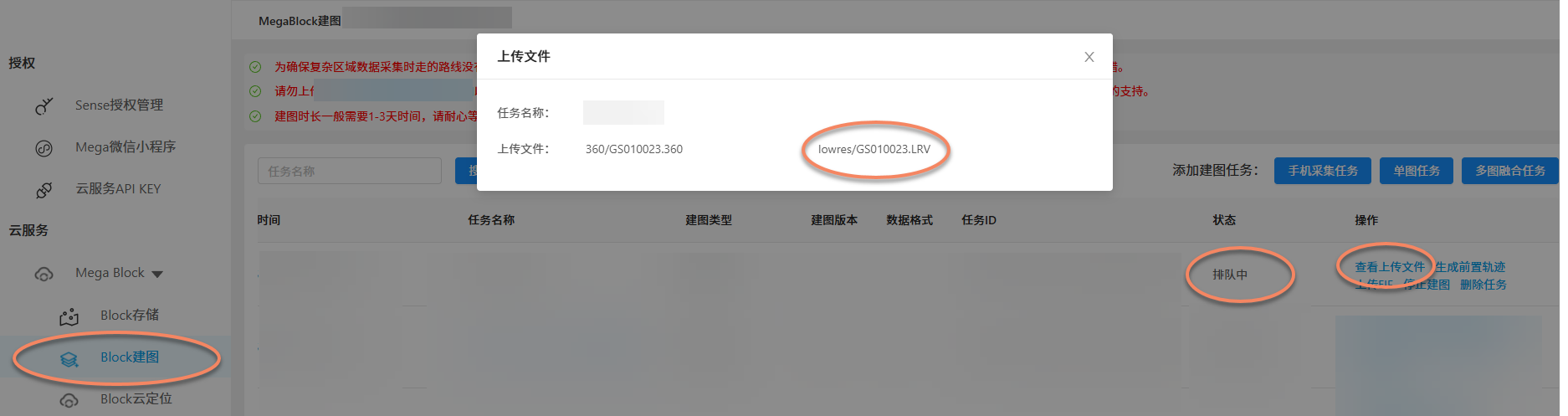
Files collected by GoPro Max/Max2 are relatively large (1-hour video, approximately 30 GB). Therefore, the upload duration may vary depending on network conditions. After successful upload, you can view uploaded files in the operation column of the Mega Block mapping task. Verify that the filenames and quantity match your local files. If consistent, the data upload is correct. After successful upload, the mapping status may show queued or generating, and you can also play .LRV format videos online.
Note
During data upload, your uploaded data will also be validated. This process is relatively fast. If no errors are reported, you can ignore this process.
### [EMP data collected by mobile phones](#tab/phone)
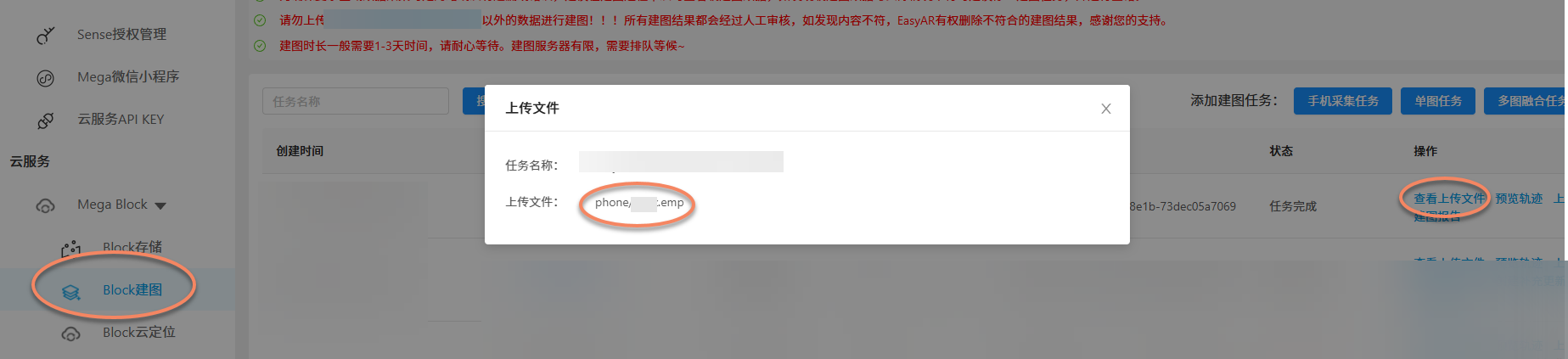
Similar to the GoPro Max/Max2 data upload process, after creating a new mapping task, upload the EMP data exported from MegaToolbox. After successful upload, the mapping status will change to queued or generating, and you can also play .emp videos online.
- Trajectory generation
The Mega Block mapping system needs to recover the trajectory during data collection, which may take some time. If the mapping process is normal, you can view the mapping trajectory in
Block mappingafter trajectory generation or mapping completion.
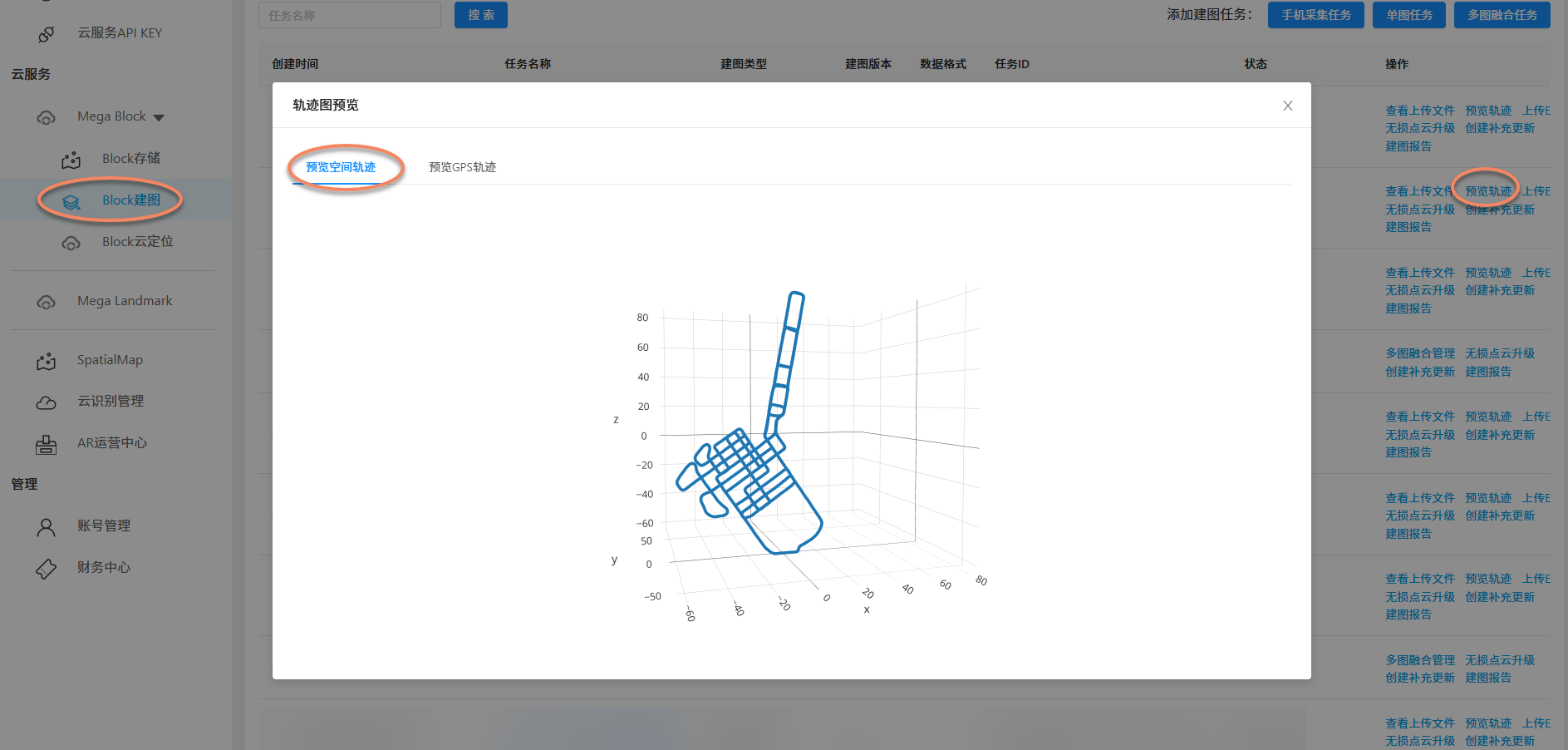
To facilitate users in confirming whether the collected trajectory is normal, EasyAR provides trajectory preview functionality. For all successfully mapped GoPro Max/Max2 data, the preview spatial trajectory function is available. You can check for any missing data based on the spatial trajectory.
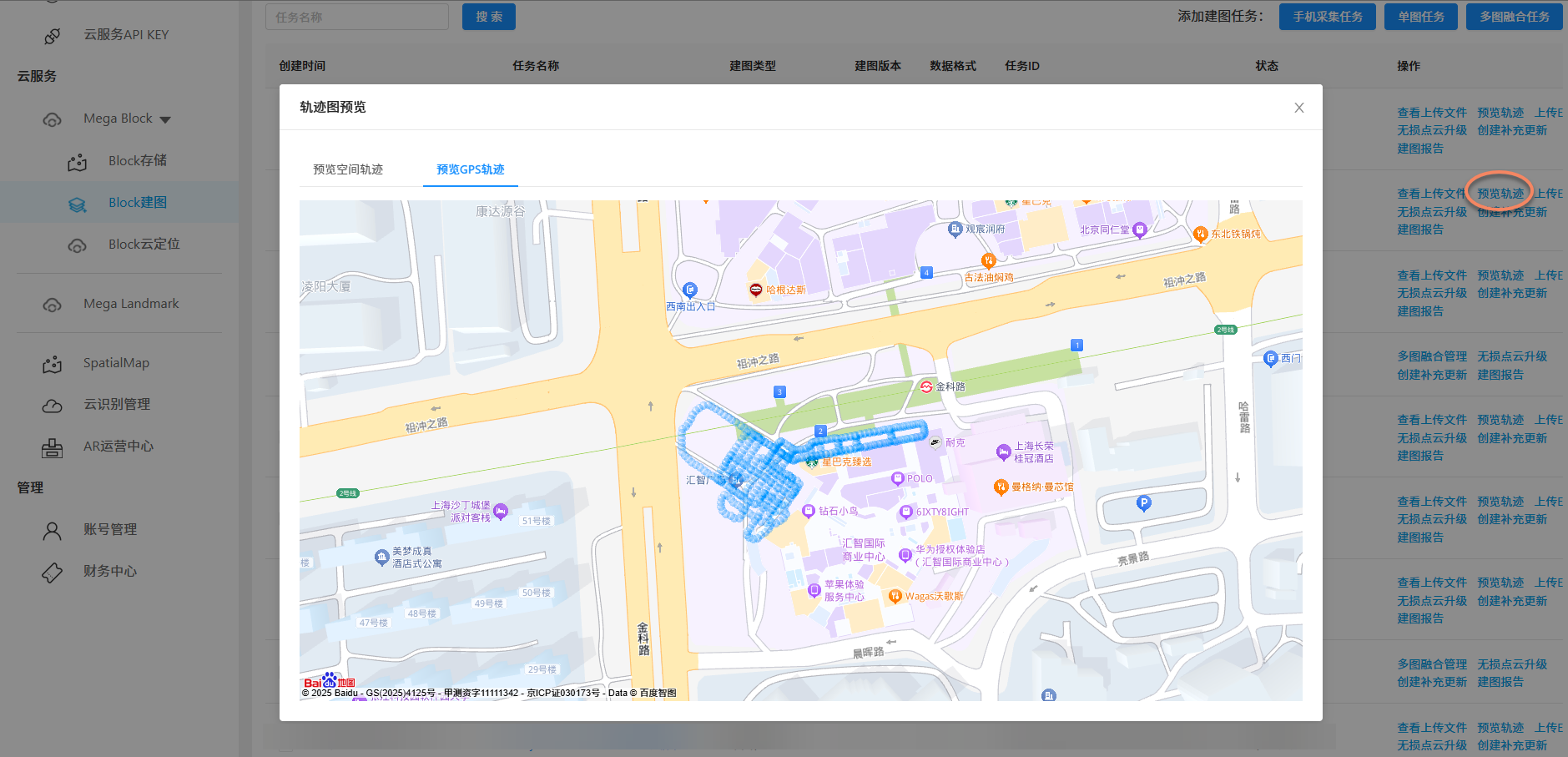
For outdoor collected data, EasyAR also provides the preview GPS trajectory function.
### [EMP data collected by mobile phones](#tab/phone)
To facilitate users in confirming whether the collected trajectory is normal, EasyAR provides trajectory preview functionality. For all successfully mapped data collected by mobile phones, the trajectory preview function is available. You can verify the completeness of data collection based on the mapping trajectory.
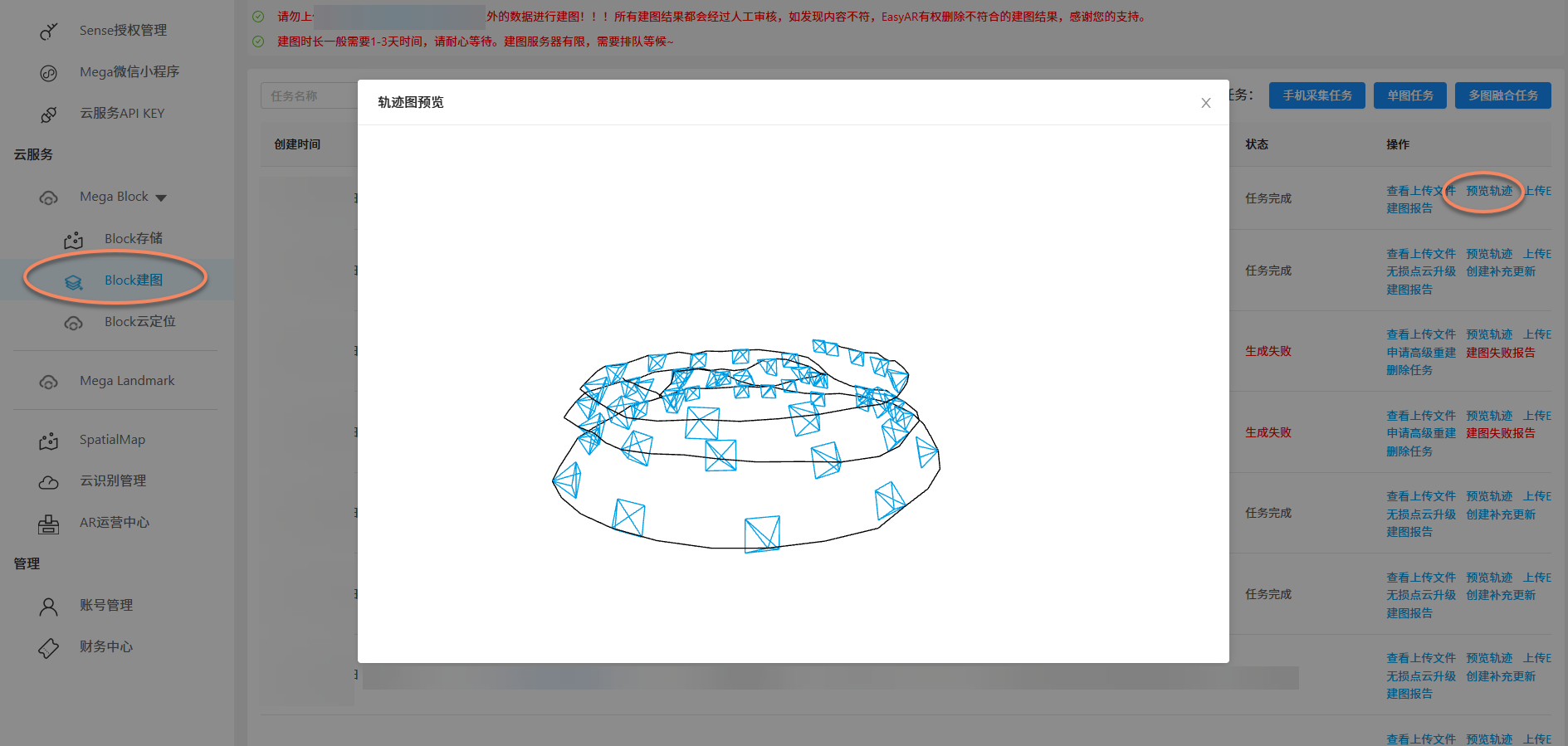
- Mega Block map generation
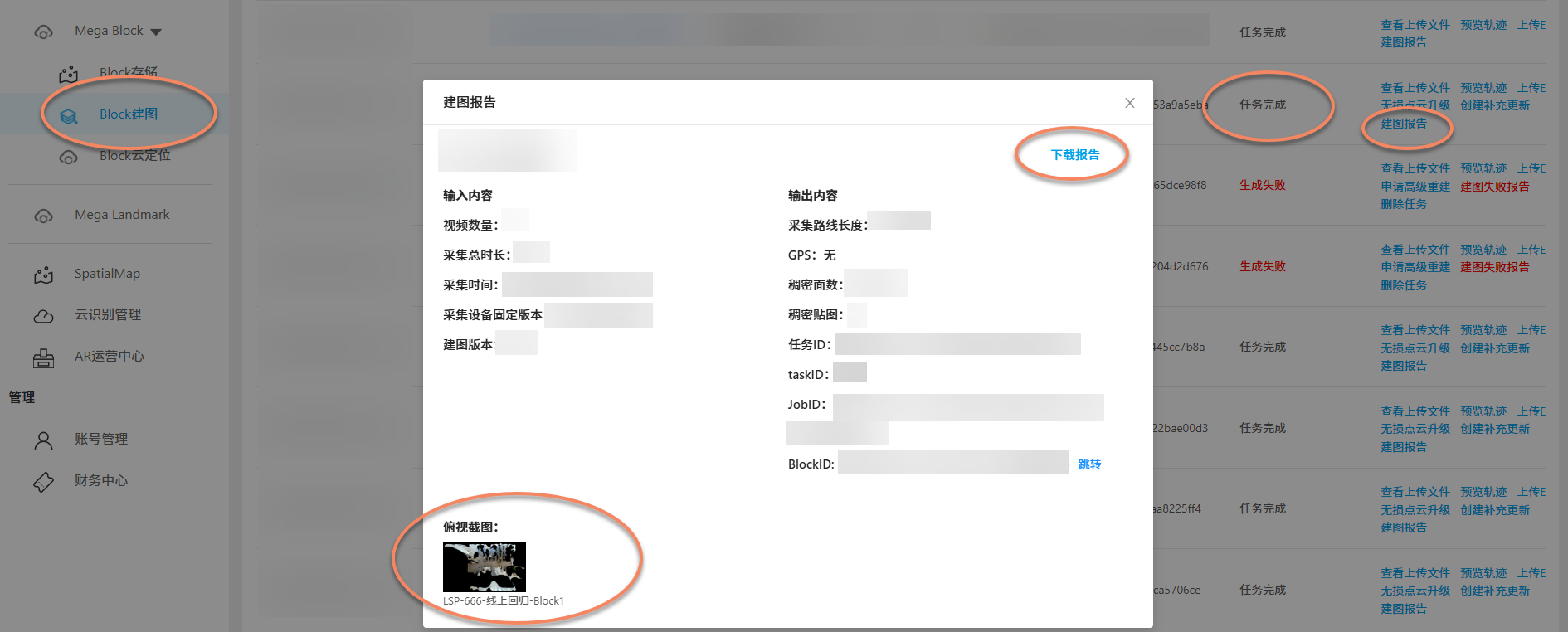
Due to the high computational load of Mega Block map generation, this stage takes relatively longer. After mapping is completed, the mapping task status will show
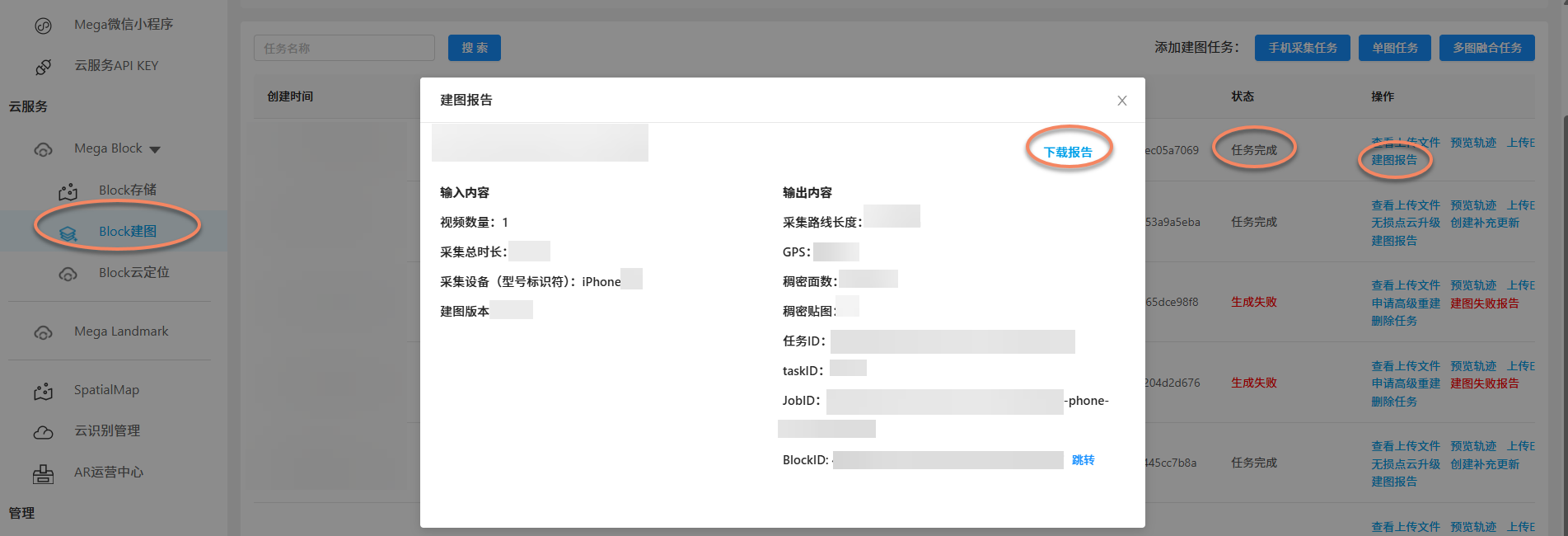
task completed. You can also view the mapping report provided by EasyAR.
### [EMP data collected by mobile phones](#tab/phone)
GoPro Max/Max2 mapping failure phenomena and solutions
Data upload failure
During the data upload stage, two issues may occur due to network or data issues: if your network is poor, upload progress may stall or network interruptions may occur; if your collected data is problematic, file validation will fail.
File upload failure
Typical manifestations: upload progress stalls, regresses, or prompts network interruption.
Why it happens: this is usually due to poor network conditions, which you can address yourself.
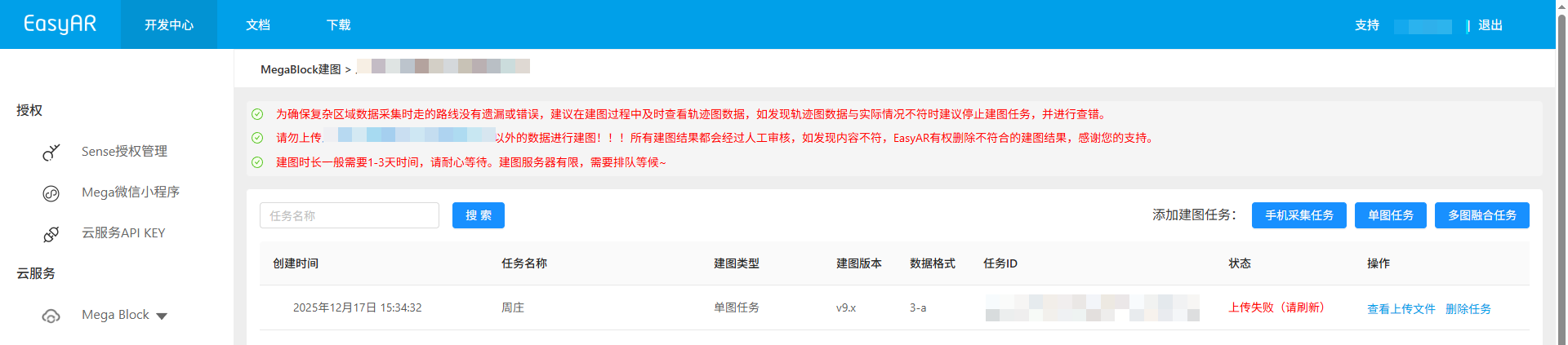
- First, try refreshing the page or logging in again (to avoid long login times).
- Click re-upload: reselect the data folder and upload all files from the beginning (suitable for failures early in the upload).
- Click resume upload: select the data folder from the last failed upload (files in the folder must remain unchanged) and continue uploading from where it failed.
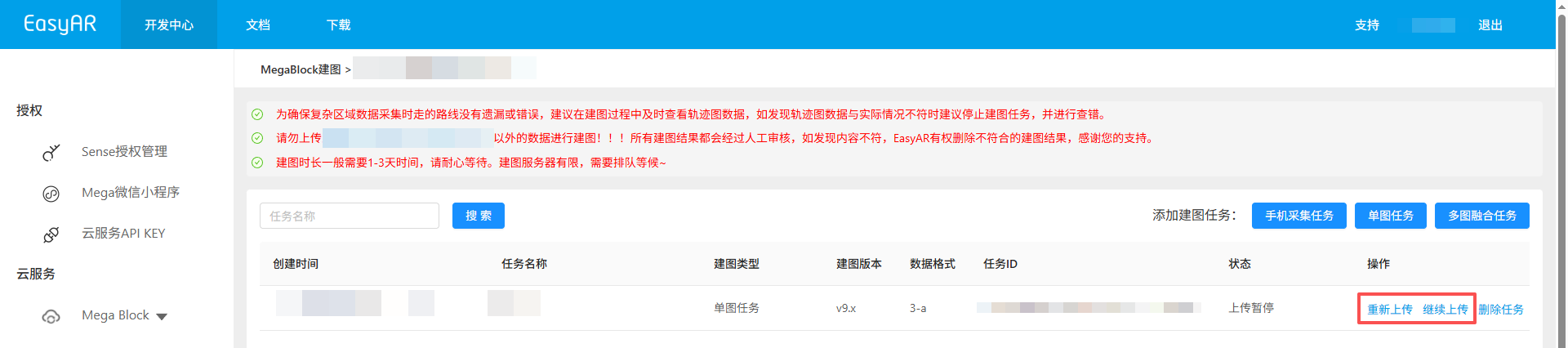
- Network optimization: keep the browser window active during upload. Do not close the browser, refresh the page, or click other menus during upload. Maintain stable network and avoid other high-bandwidth activities.
Note
EasyAR strongly recommends uploading mapping data in a good wired or wireless network. Using mobile data is not recommended because GoPro Max/Max2 files are large.
File validation failed
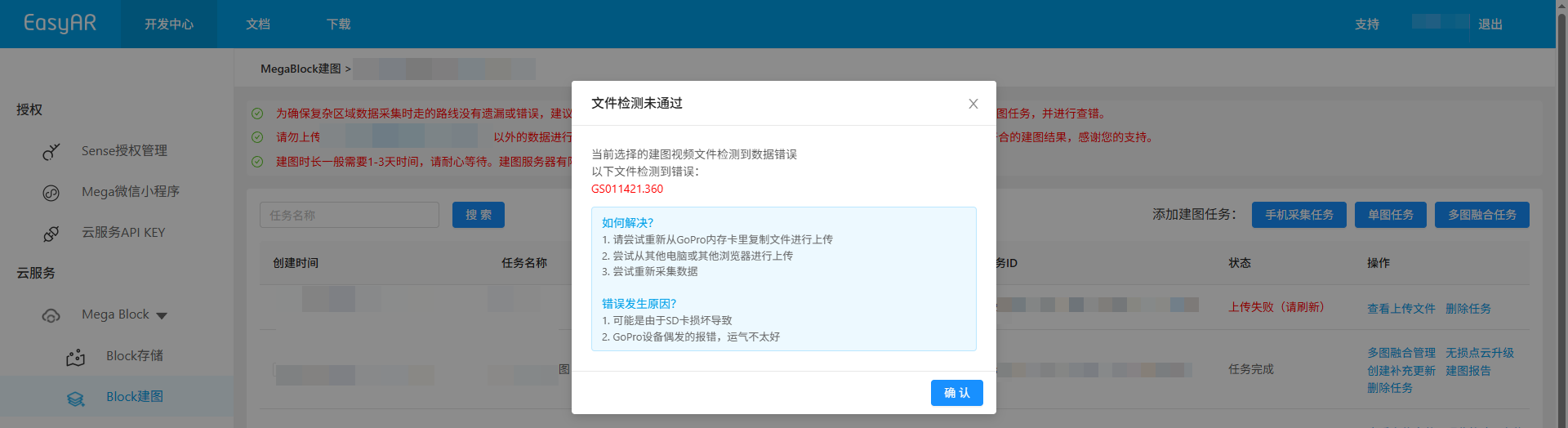
Typical prompts: XXX video is corrupted!, errors detected in the following files: XXX, XXX filename video frame rate setting error!
Why it happens: after video files are uploaded, the EasyAR system performs a quick validation to filter out unqualified data in advance, reducing your waiting time. This may be due to non-compliant collection, or issues caused by SD card damage or GoPro device problems.
- If
XXX video is corrupted!orerrors detected in the following files: XXXappears
- Try re-uploading files copied from the GoPro memory card.
- Try uploading from another computer or browser.
- Collection may have experienced abnormal shutdowns, etc. You should recollect the data.
- If
XXX filename video frame rate setting error!appears
- Please set the correct frame rate according to the GoPro Max configuration guide or GoPro Max2 configuration guide.
Note
If refreshing the page still fails validation, you should recollect the data according to EasyAR's collection specifications.
Mapping failure
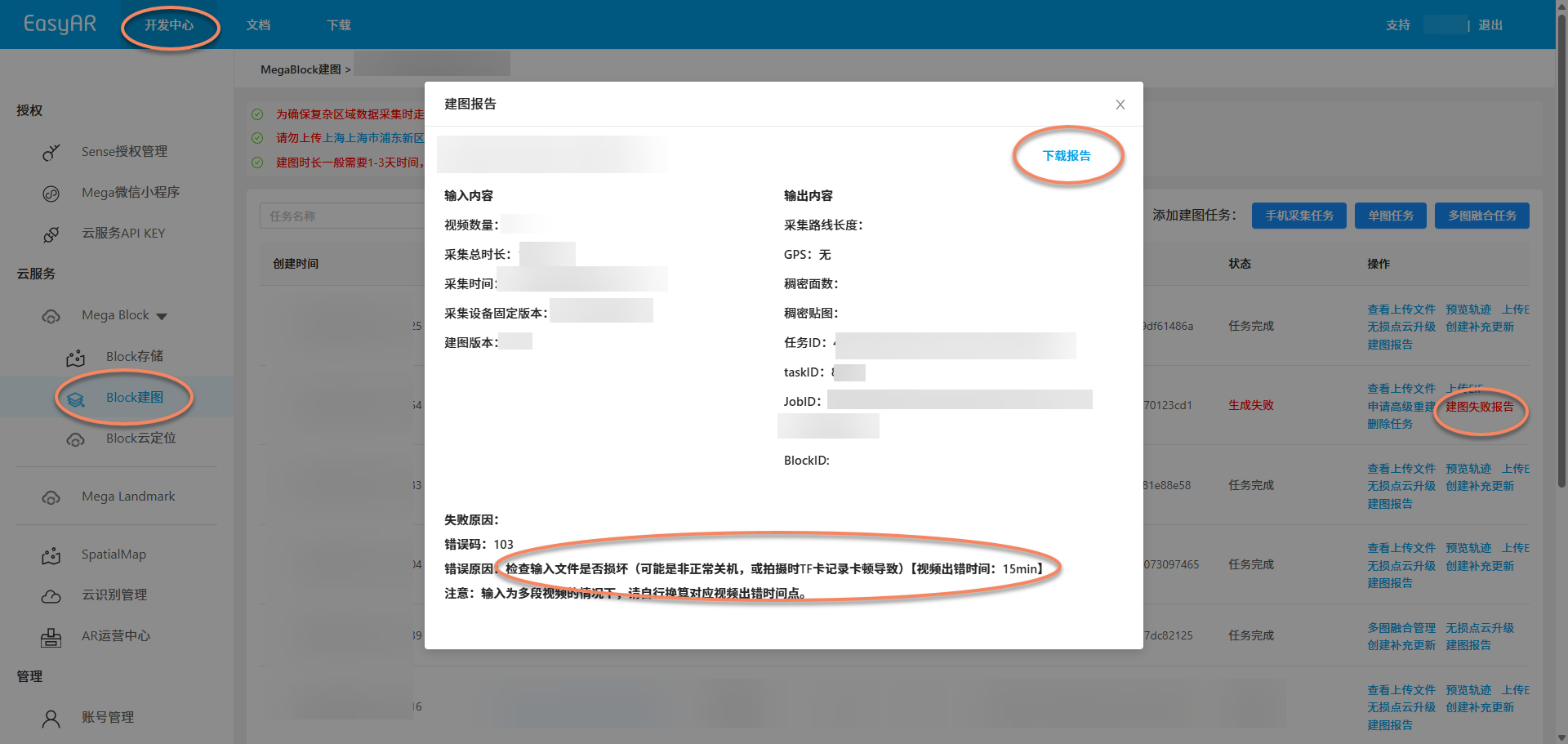
If you see generation failed in the Block mapping status, you can view the mapping failure report.
- If
check if input files are corrupted (possibly caused by video corruption)appears, check if video files have corruption issues. - If
check if input files are corrupted (possibly due to abnormal shutdown or TF card recording lag during shooting) [error time: xx s]appears, check if there are abnormalities near the error time in the video. - If
internal error, please report (possibly caused by camera slipping, collision, rapid displacement, passing through completely dark environments, or taking elevators during shooting)appears, it may be due to rapid displacement like camera slipping or collision during collection, abnormal acceleration from taking elevators, or completely dark scenes in the collection route. - If
check if input files are corruptedappears, play the collected video with a video player to check for abnormalities. - If
server exception, try again laterappears, wait for a while and try mapping again.
Tip
If internal error, please report appears in the mapping report or if the report shows no reason, please provide the mapping report to EasyAR staff.
Note
If the mapping report provides a video error time and your input consists of multiple videos, please calculate the corresponding video error time point yourself.
Mobile mapping failure
Mobile mapping usually has a high success rate. If it fails, first check:
- Whether you stayed in place during collection
- Whether the ambient light was sufficient
- Whether the camera was blocked If collection was correct but still failed, provide the mapping report to EasyAR staff.
Problem reporting
If you have completed the self-check above and confirmed that the data itself has no obvious quality issues (no corruption, no parameter errors), but mapping still fails, please report to the EasyAR team following the standard process below.
Problem handling and reporting
After identifying the real issue, collect information and report it as follows so the technical team can quickly locate and fix it:
Reporting information
To help the technical team quickly locate the issue, please provide the following information:
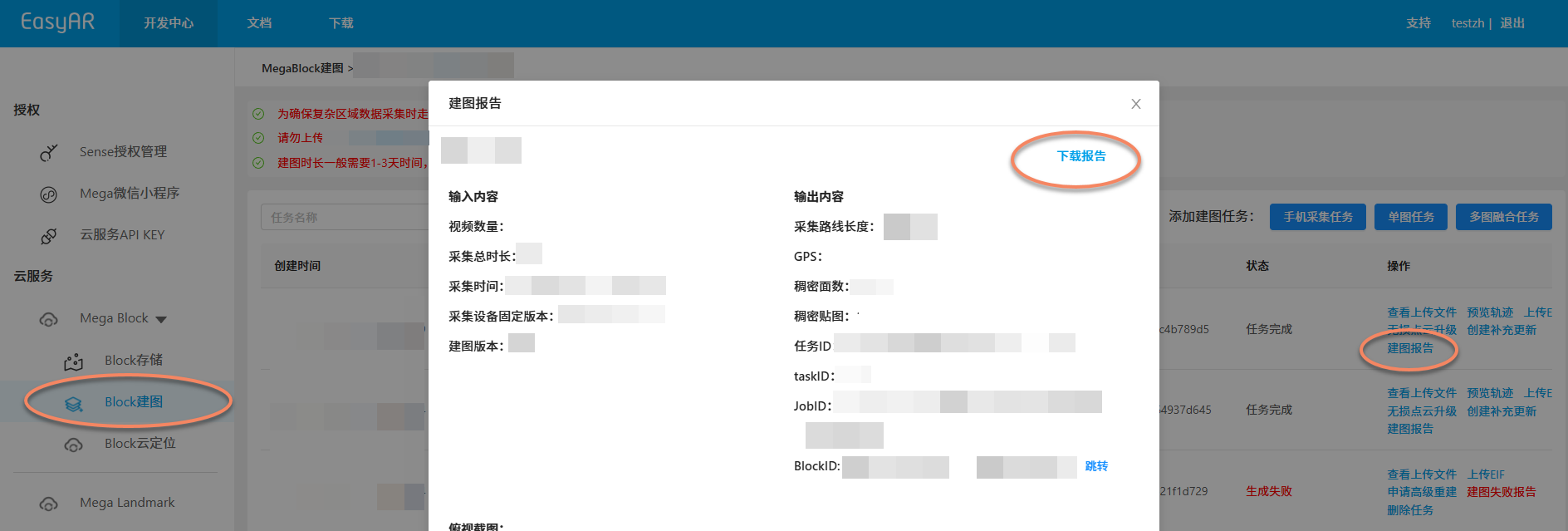
- Mapping report: download the mapping report in Mega development center format, which contains task ID, error messages, etc.
- Collection route plan: provide screenshots or videos of the collection plan to locate the issue faster. Package the above materials and send them to the EasyAR technical support contact.
Feedback handling expectations
Technical staff will review logs and raw data based on the mapping report to analyze possible causes:
- Severe collection violations (e.g., severe shaking, complete darkness): need to recollect according to specifications.
- Algorithm parameter adaptation issues: we will enable advanced mapping mode, adjust cloud parameters, and attempt to regenerate the Block map for you. If conventional parameter adjustments are ineffective, the R&D team will intervene to analyze whether the data belongs to an algorithmic blind spot in specific scenarios (e.g., extreme weak texture) and assess whether it can be fixed through algorithm iteration.