Block Browsing Tool (Unity Development)
Important
This tool has been removed in version 2.13. When developing Unity applications, you should use the block editor tool instead.
This article only applies to versions 2.12 and below.
The Block Browsing Tool (Unity Development) is an independent, lightweight functional module in Mega Studio, specifically designed for developers to directly view and preview the built Mega Blocks. It allows you to directly load, browse, and check the Block data generated in the cloud in the Unity Editor. In addition, it also supports directly verifying the positioning effect without writing any code or running a complete application.
Tip
This tool is specifically designed for Unity developers. Compared with the EasyAR.Mega.BlockViewer tool, it additionally integrates a verification tool component. If you are a non-developer, it is recommended to directly use the EasyAR.Mega.BlockViewer or EasyAR.Mega.Annotation.
Create the Browsing Tool
Right-click on the blank space in the
Hierarchypanel and selectEasyAR Mega->Tool->Block Viewer for Unity Developer (Edit Mode)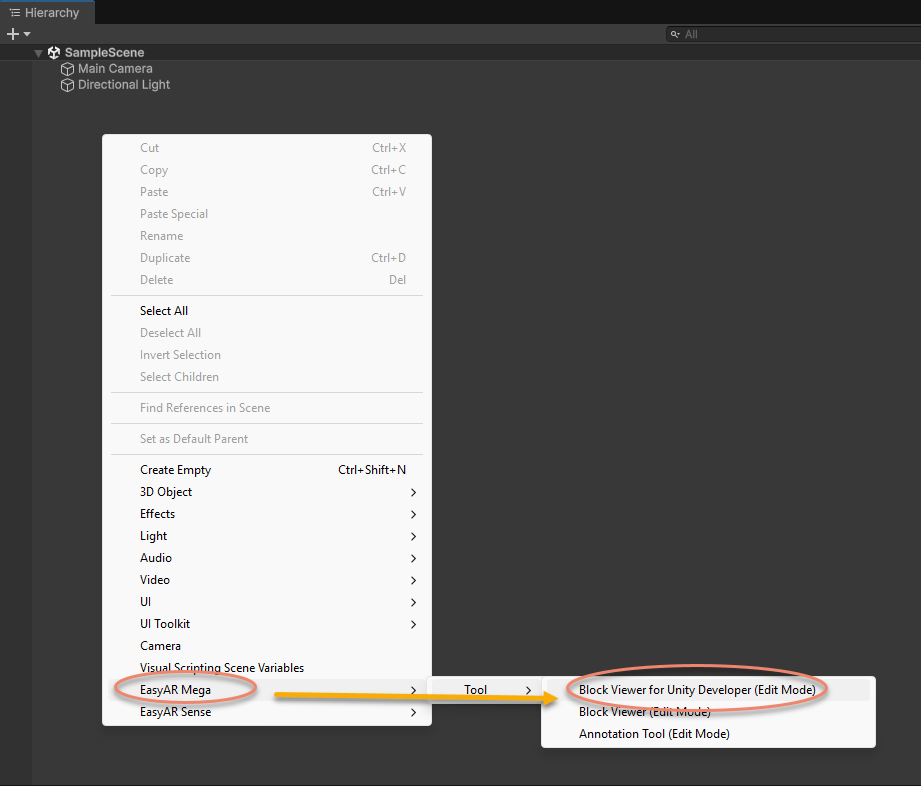
After adding, a new node
EasyAR.Mega.BlockViewer (Dev)will appear in theHierarchypanel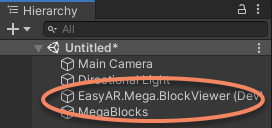
Function Description
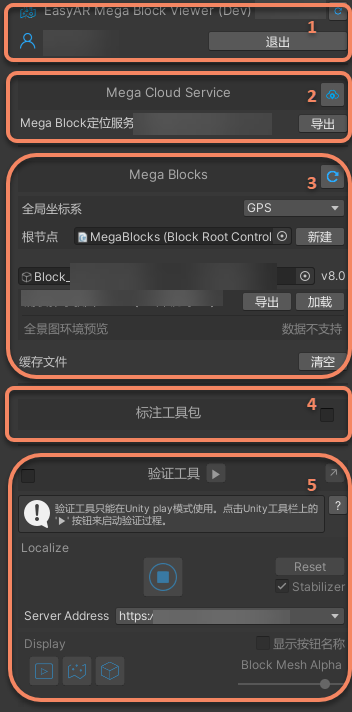
After creating the tool, you can configure it through the Inspector panel to load Block data and control the export or display of the model.
Description of the BlockViewer (Dev) Node
Except for the verification tool, other functions of EasyAR.Mega.BlockViewer (Dev) can only be used in the non-running state in the editor. That is, you need to ensure that the play button at the top of the Unity Editor is not pressed. As shown in the following figure, when the button is in the state of a right-pointing triangle, it is in the stopped state and can be used.
At runtime, the tool-related nodes and data will still be retained in the scene and can be used with the verification tool, but all functions of the tool itself cannot be used.

Warning
If you need to package the developed Unity application to a mobile device, be sure to delete the EasyAR.Mega.BlockViewer (Dev) node in the scene before building, otherwise it may cause packaging failure or runtime errors.