How to Clearly Communicate Visual Anomalies
This section explains how to clearly communicate visual anomalies and provide useful evidence for troubleshooting.
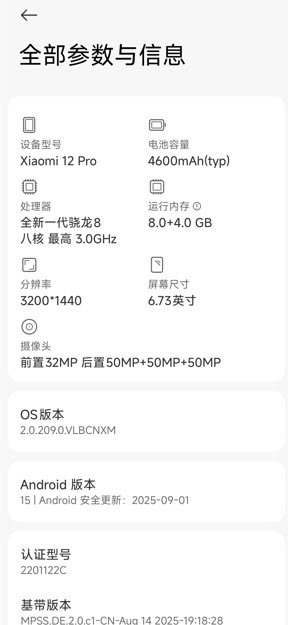
Describe Device Information
The main purpose of providing device information is to help investigate hardware adaptation issues.
Because AR localization quality is closely related to device hardware configuration, such as cameras and sensors, as well as the system version, please provide the exact phone model and system version you used.
Check Content Placement
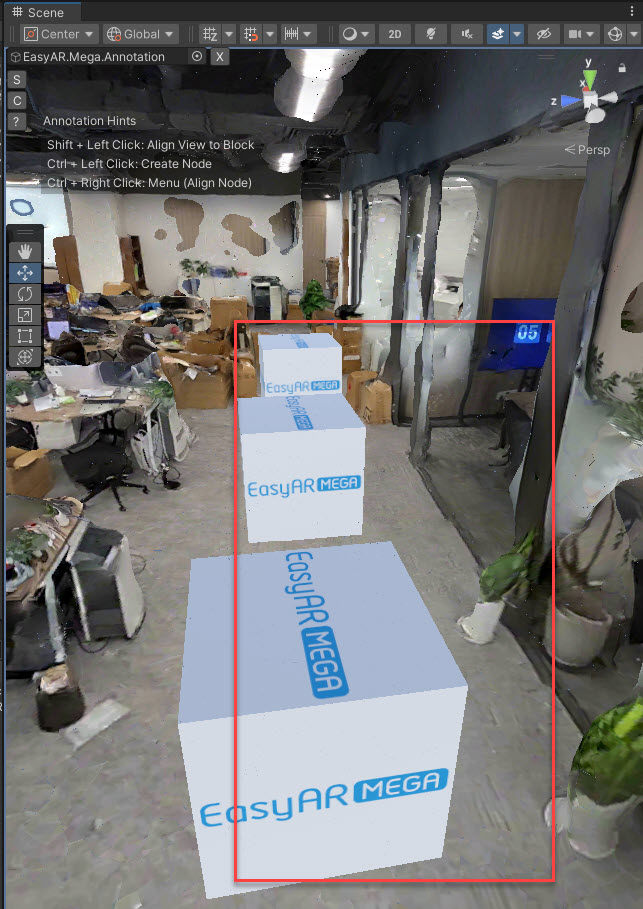
The main purpose is to confirm whether the deviation is caused by incorrect content placement. When AR digital content appears offset, the cause is often not a failure in the AR localization algorithm, but imprecise virtual content placement, such as an offset in model coordinates. Therefore, before submitting feedback, first confirm that the digital content aligns precisely with the localization reference.
Negative example: the cube is not placed along a clear and specific position, so it cannot be used as an effective reference for judging visual error in the actual experience.
Check Environmental Changes
Check environmental changes to determine whether localization anomalies are affected by the environment. AR localization depends on the on-site environment, and differences between the test environment and the data-capture environment can easily cause localization deviation or poor results. Make sure the two environments are basically consistent to avoid localization failure caused by environmental differences.
Describe the Problem Accurately
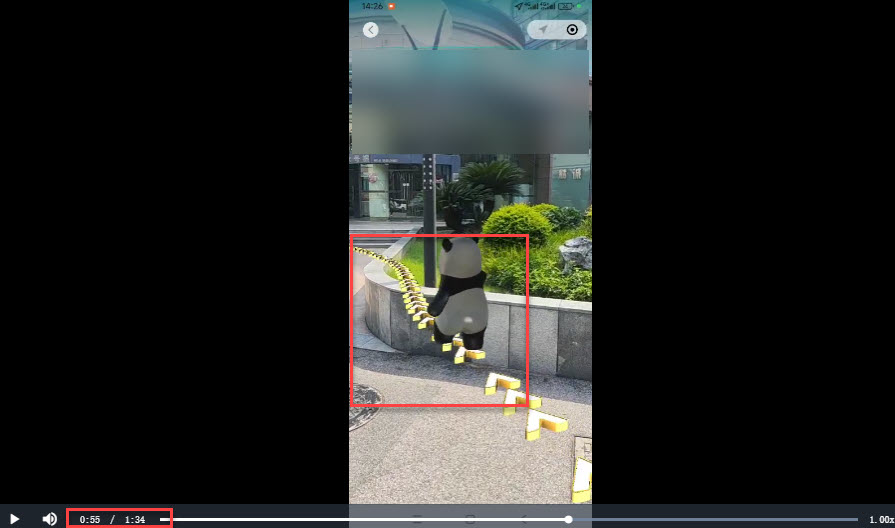
First state the expected result, then describe the actual result, and accurately mark the details of the positional deviation. Also describe the actual localization anomaly of the AR digital content in detail, especially the exact timestamps in the video when the deviation appears.
Example: the expected result is that the panda moves along the road route; in the actual result, at 55 seconds, the panda's path deviates and the trajectory points toward the grass area.
Negative example: the panda went off course.
Note
Capture the abnormal situation from the video and mark the time and phenomenon, so others can locate the issue quickly.
Provide Reproduction Data
When submitting an issue, also provide reproduction data. To confirm whether the data can effectively reproduce the issue, see Confirm that the recorded data can reproduce your issue.
The key point of this step is to make sure the data you provide can accurately reproduce the abnormal behavior you described. We recommend verifying it yourself before submission to confirm that the recorded data can fully reproduce the issue you encountered.
Related Topics
Collect phone screenshots and screen recordings