Confirm that recorded data can reproduce your issue
Collect EIF data that can reproduce the issue. Later, you can use the tool to simulate running this EIF data to reproduce the related issue.
Only valid data that can reproduce the issue can help accurately locate and resolve the problem you encountered.
Record EIF data
Before starting recording, make sure the selected recording location and environment can stably reproduce the specific issue you encountered.
You can choose the corresponding option below to obtain data according to your current development environment or hardware device:
- Collect EIF data through Toolbox
- Record EIF data through your own App
- Record EIF data through AR glasses
Run verification tool
Use the session verification tool and select EIF data that can easily reproduce the issue for simulated running.
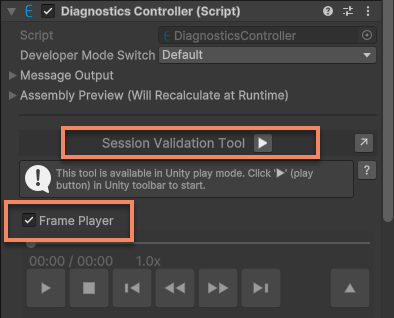
For detailed steps, see simulate running using session verification tool
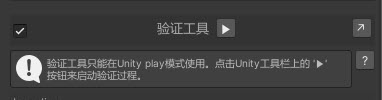
Observe whether the abnormal phenomenon is reproduced
Use the session verification tool or Mega Studio to run this EIF file and verify whether the issue you encountered during on-site testing can be reproduced.
If this EIF file can reproduce the issue, send the file to the EasyAR technical support team.
If it cannot be reproduced, record the EIF file again and repeat the verification steps above until the issue is reproduced before submitting the file, so the technical team can locate and resolve the issue.
Related topics
Use your application to record EIF simulated runtime data that can reproduce the issue
Use Mega Toolbox to record EIF simulated runtime data on a phone that can reproduce the issue
Use a sample to record EIF simulated runtime data on a headset that can reproduce the issue