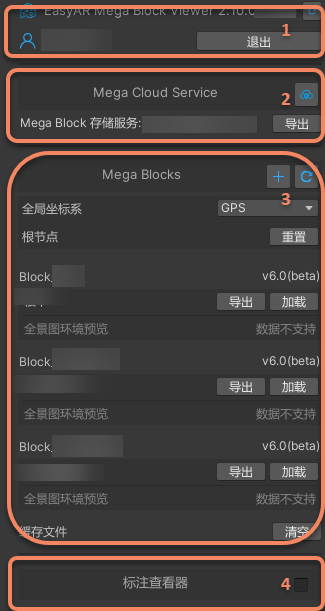
Block Viewer Tool
Important
This tool was removed in version 2.13.
This article applies only to version 2.12 and earlier.
The Block Viewer Tool is an independent, lightweight feature module in Mega Studio designed specifically for viewing and previewing completed Mega Blocks. It lets you load, browse, and inspect Block data generated in the cloud directly in the Unity Editor, without writing any code or running the full application. With this tool, project managers, operations staff, testers, and developers can quickly verify the quality of mapping Block data.
Create the Viewer Tool
Right-click an empty area in the
Hierarchypanel, then selectEasyAR Mega->Tool->Block Viewer (Edit Mode).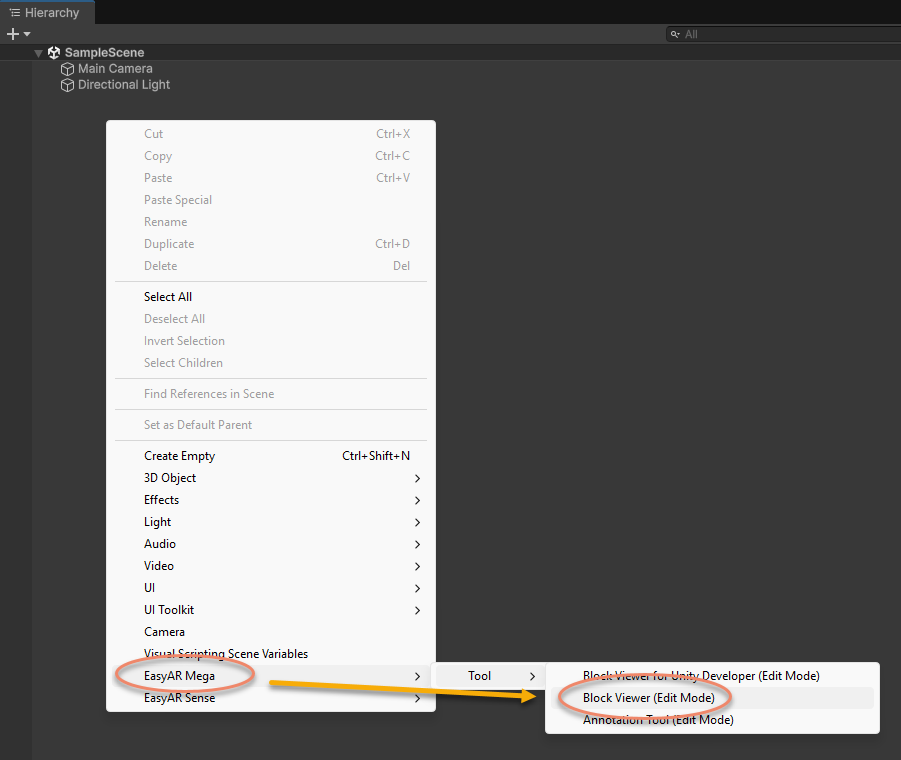
After it is added, a node named
EasyAR.Mega.BlockViewerappears in theHierarchypanel.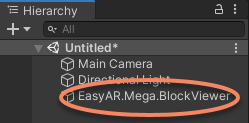
Feature Description
After creating the tool, you can configure it in the Inspector panel to load Block data and control model export or display.
BlockViewer Node Description
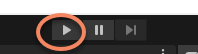
EasyAR.Mega.BlockViewer is an edit mode tool. It is used only when the application is not running, as an editor-time tool in the editor. Make sure the play button at the top of the Unity Editor is not pressed. As shown below, the tool can be used only when the button is a right-pointing triangle, indicating the stopped state.
Warning
If you need to package the developed Unity application for a mobile device, be sure to delete the EasyAR.Mega.BlockViewer node from the scene before building. Otherwise, the build may fail or runtime errors may occur.