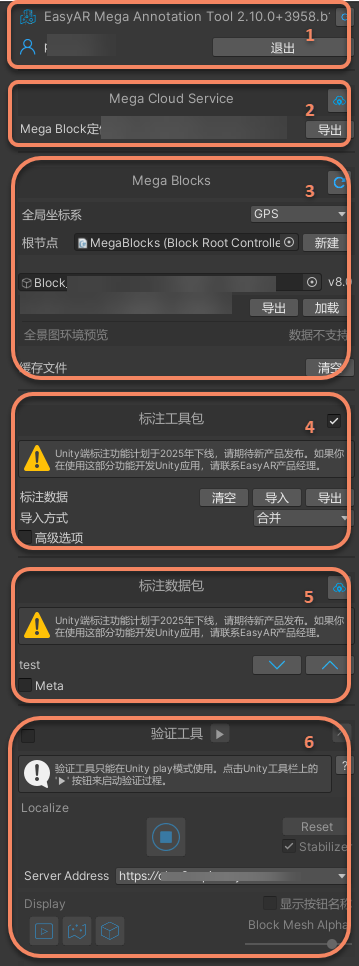
Annotation tool
The annotation tool is used to create, edit, and manage annotation data packages.
Add tool
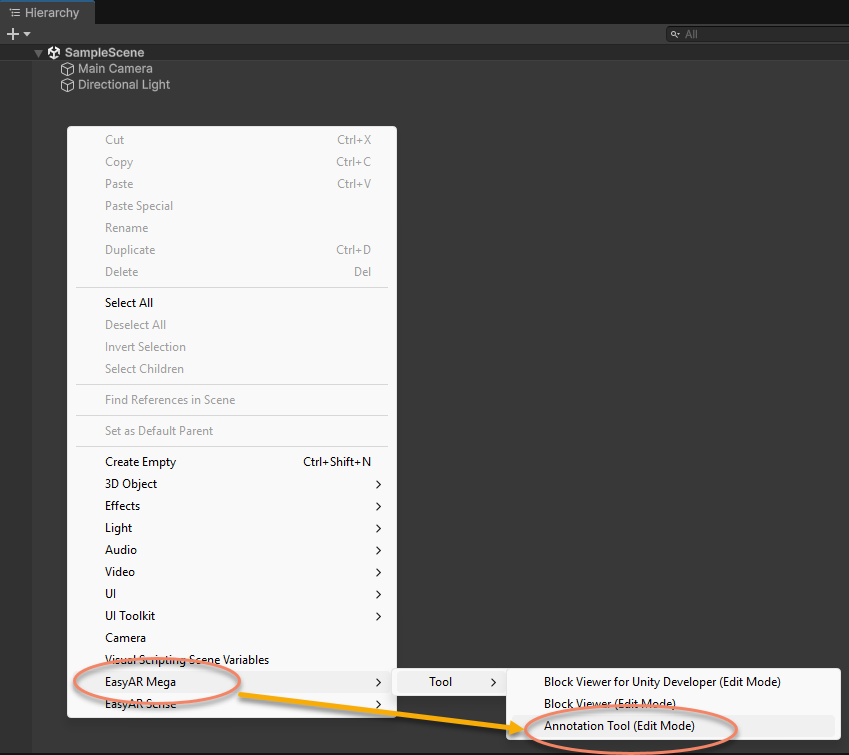
Right-click a blank area in the Hierachy panel and select EasyAR Mega > Tool > Annotation Tool (Edit Mode).
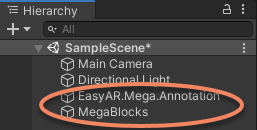
After adding it, two additional nodes will appear.
Except for the validation tool, all functions can only be used in the editor and when not running. That is, use them when the button in the following image is not pressed.

At runtime, tool-related nodes and data will still remain in the scene and can be used with the validation tool, but all functions of the tool itself are unavailable.
If you are developing a Unity application, delete the EasyAR.Mega.Annotation node from the scene before packaging the app to a mobile device.
Tool module description