Ultra-large space solution
For ultra-large scenes such as tourist attractions, city blocks, and large commercial complexes with areas exceeding hundreds of thousands of square meters or even millions of square meters, the traditional "single capture, single large map" mode cannot meet requirements. This document introduces how to handle data acquisition and usage issues for ultra-large spaces, in order to solve problems such as excessive accumulated error and memory overflow caused by a single ultra-large map.
Core challenges
When handling ultra-large spaces of millions of square meters, trying to build one single giant map faces many technical obstacles:
- Acquisition difficulty: a single acquisition takes too long, which can cause device overheating and very large data volume (hundreds of GB), making upload and processing extremely difficult.
- Accumulated error: mapping error accumulates with acquisition distance. On routes of several kilometers, even a 1% error can cause offsets of tens of meters and is difficult to correct.
- Performance bottleneck: loading and optimizing map data of millions of square meters can instantly exhaust device memory.
Solution: partitioning and fusion
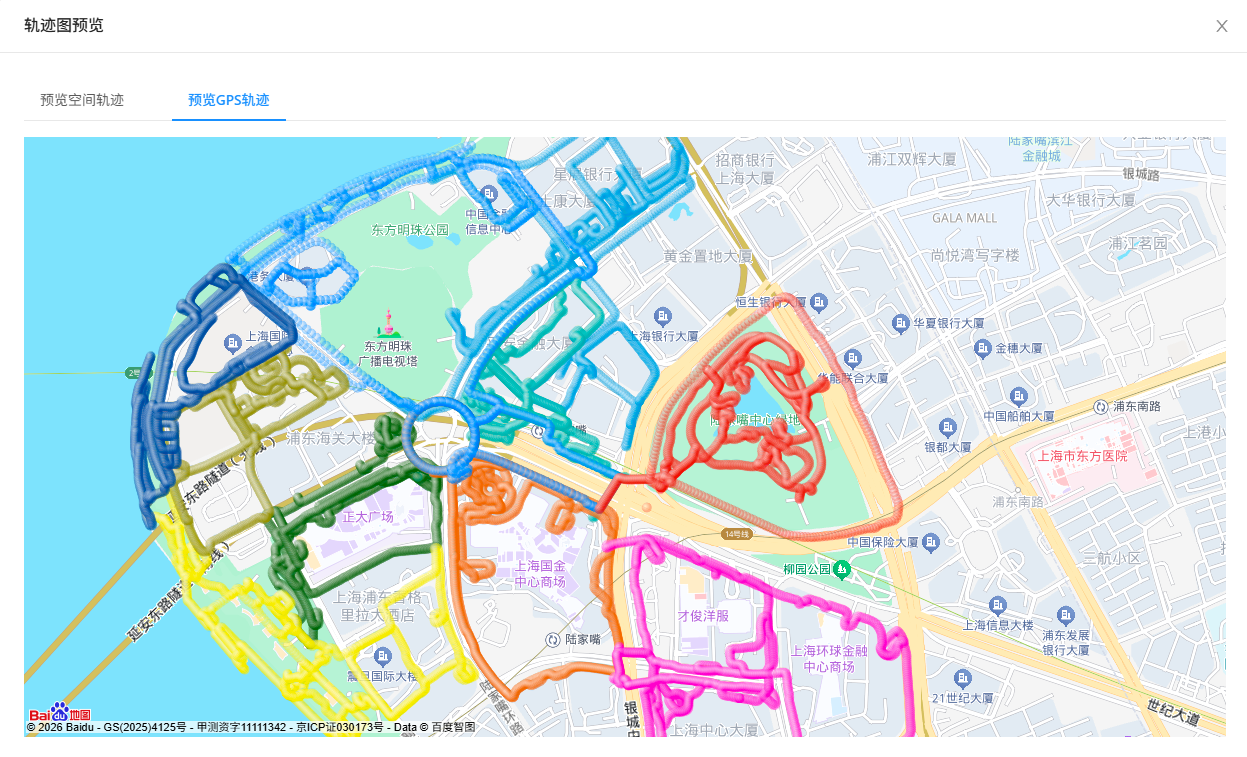
The standard solution for ultra-large spaces is to break the whole into parts. Logically divide the entire large scene into multiple physically overlapping subregions, acquire data for each subregion separately, and finally fuse and optimize all subregions. This enables seamless roaming at runtime through dynamic loading.
Data acquisition
You need to plan according to Ultra-large space data acquisition method.
- Partitioning principle: divide the large scene by area, scene, or functional region. Each region should be around
one hundred thousand square meters. - Overlap requirement: adjacent subregions require at least
200 meters of fully overlapping path. The larger the overlap area, the better the fused map. Make sure there is enough overlap so that adjacent submaps can be fused and optimized.
Before starting data acquisition for each subregion:
- Perform acquisition route planning
- Check GoPro Max device configuration or GoPro Max2 device configuration
- Read and become familiar with acquisition method
- Become familiar with the steps to export GoPro Max/Max2 data
Create mapping task
- If this is your first time using Mega mapping, you need to create a new mapping project first
- In Mega Developer Center, you can create a large ultra-large range multi-map fusion task. Upload multiple videos captured in partitions, and the cloud mapping algorithm will automatically stitch and optimize them.
View mapping results
After mapping is complete, you can view the mapping results:
Tip
- If mapping fails, refer to mapping failure handling guide
- If mapping has issues such as layering, refer to model defect handling guide
Test localization effect
- If this is your first time using Mega localization, you need to configure localization map library
- Quickly verify whether the localization map library is available
- View simulation running effect
- View real onsite running effect
Runtime strategy
The fused map does not require any processing and can be used directly as a single map.
- GNSS-based query: in outdoor scenes, GNSS is used to assist map query, so large maps can also be localized accurately.
- Load on demand: when placing content, the Mesh of each subregion can be loaded separately.
- Seamless switching:
- The localization algorithm runs in submap A and submap B at the same time.
- In the overlapping area, content also switches seamlessly.