EasyAR Mega introduction
EasyAR Mega is a spatial computing platform designed to create persistent, high-precision digital twin spaces for the entire physical world, such as a city, a campus, or a large shopping mall. With EasyAR Mega, your application can achieve large-scale, high-precision indoor and outdoor localization and virtual-real occlusion, bringing users an unprecedented spatial interaction experience.
This chapter briefly introduces the core working principles, expected effects, and platform adaptation guidance of EasyAR Mega from a developer's perspective.
Important
Non-developer users, such as product managers, operations, and testers, should go directly to the Mega user guide to learn about Mega services.
Before you begin: make sure everything is ready
Before integrating EasyAR Mega cloud localization into your application, you must ensure one core prerequisite: the Mega cloud localization service is ready.
- On-site data collection has been completed
- Use specified devices to collect data for the target area
- Use Mega Toolbox to collect EIF data for effect verification
- Mega Block map building has been completed
- The localization service has been enabled and bound to the application
- Add the Block to the Mega localization library in Developer Center
- Obtain a valid App ID and API Key and configure them correctly in your project
Important
If the steps above are not completed, the application will be unable to obtain localization results, shown as "AR content can never be triggered". Before developing with Mega cloud localization, be sure to verify service availability.
Basic principles of Mega localization
Unlike traditional GNSS localization that relies on satellite signals, EasyAR Mega is based on advanced visual localization technology. By matching image data captured in real time by the user device with prebuilt high-precision 3D data, it determines the user's 6DoF pose in the physical world. Based on this pose, the application can render and overlay virtual content at the correct physical location.
The workflow is as follows:
Map building:
- Use professional devices, such as panoramic cameras, to collect data in the target area.
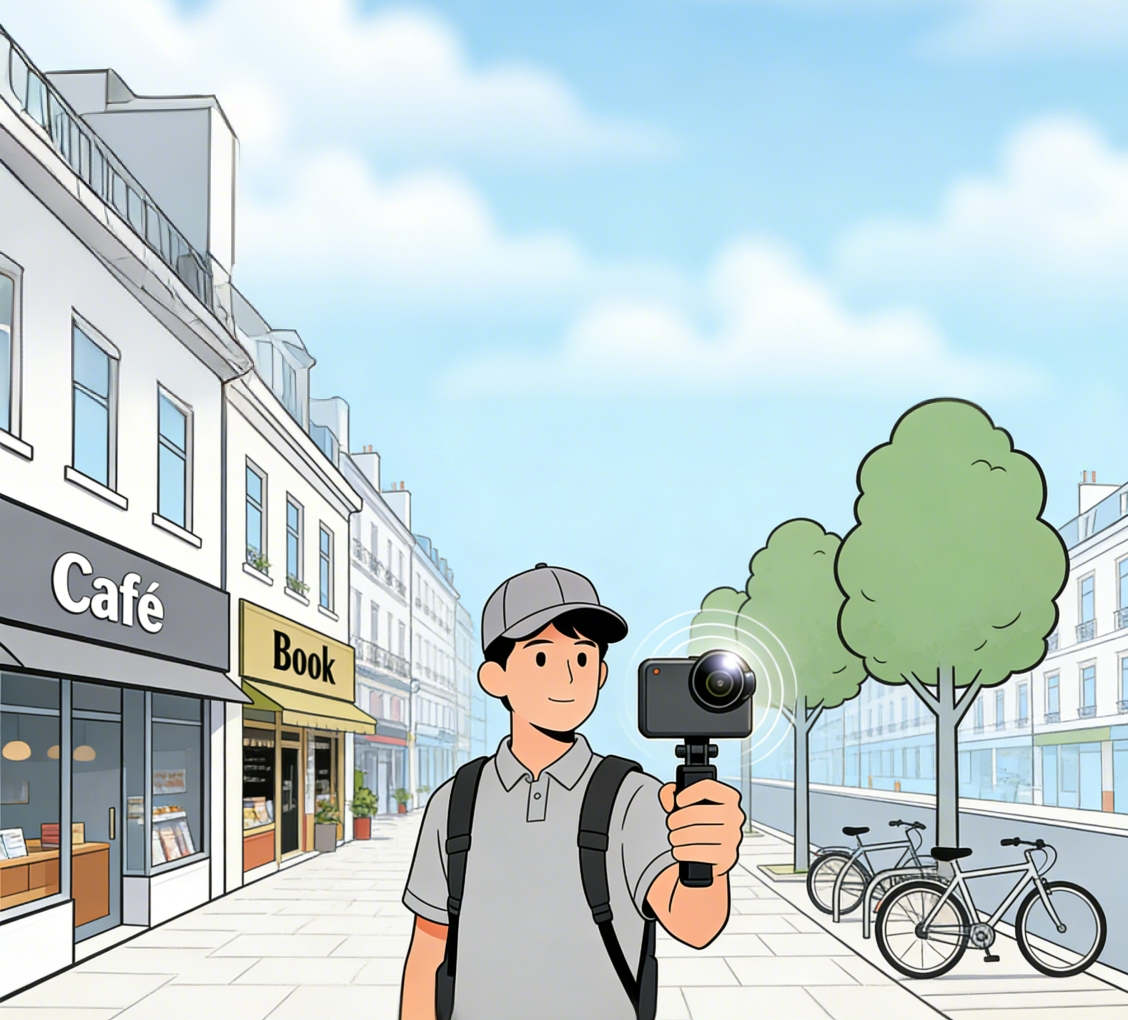
- Upload the collected data, such as .360 files, through the EasyAR mapping management console.
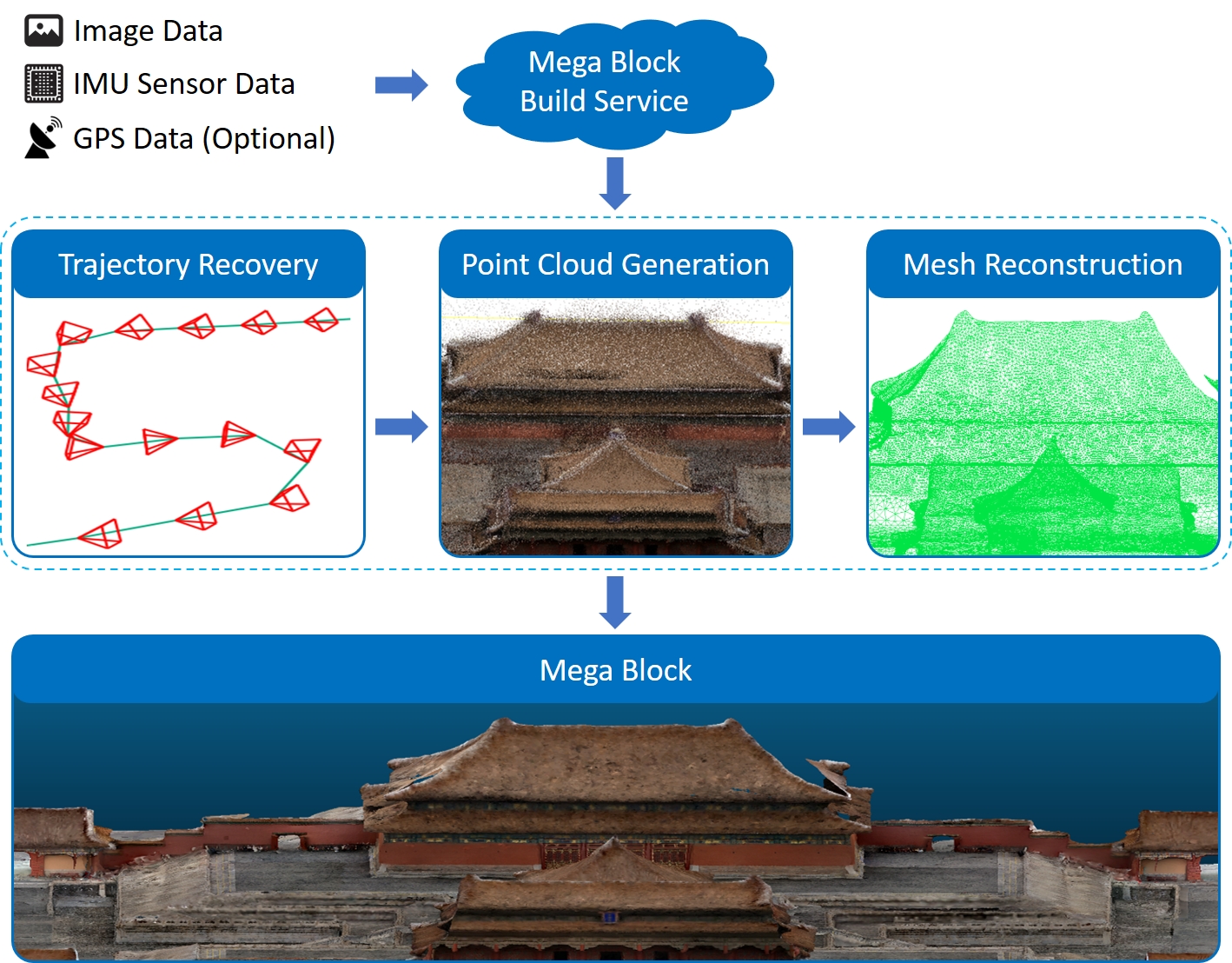
- The cloud processing platform computes the images in the collected data, uses advanced AI algorithms to extract visual features of the target area, and fuses the images with IMU sensor information and other data to recover the movement trajectory during collection, that is, the camera pose at each moment. It then generates a 3D point cloud of the entire scene and builds a dense mesh with texture maps.
- Finally, the mapping system outputs a high-precision "Mega Block map" customized by EasyAR, containing 3D geometric information and visual features. This map is the foundation of Mega localization.
- Use professional devices, such as panoramic cameras, to collect data in the target area.
Real-time localization (using Mega cloud localization as an example):
- The user opens the application. The device camera captures images in the user's field of view in real time and sends them to the Mega cloud localization service together with camera intrinsics, extrinsics if available, and auxiliary information if available, such as GNSS.
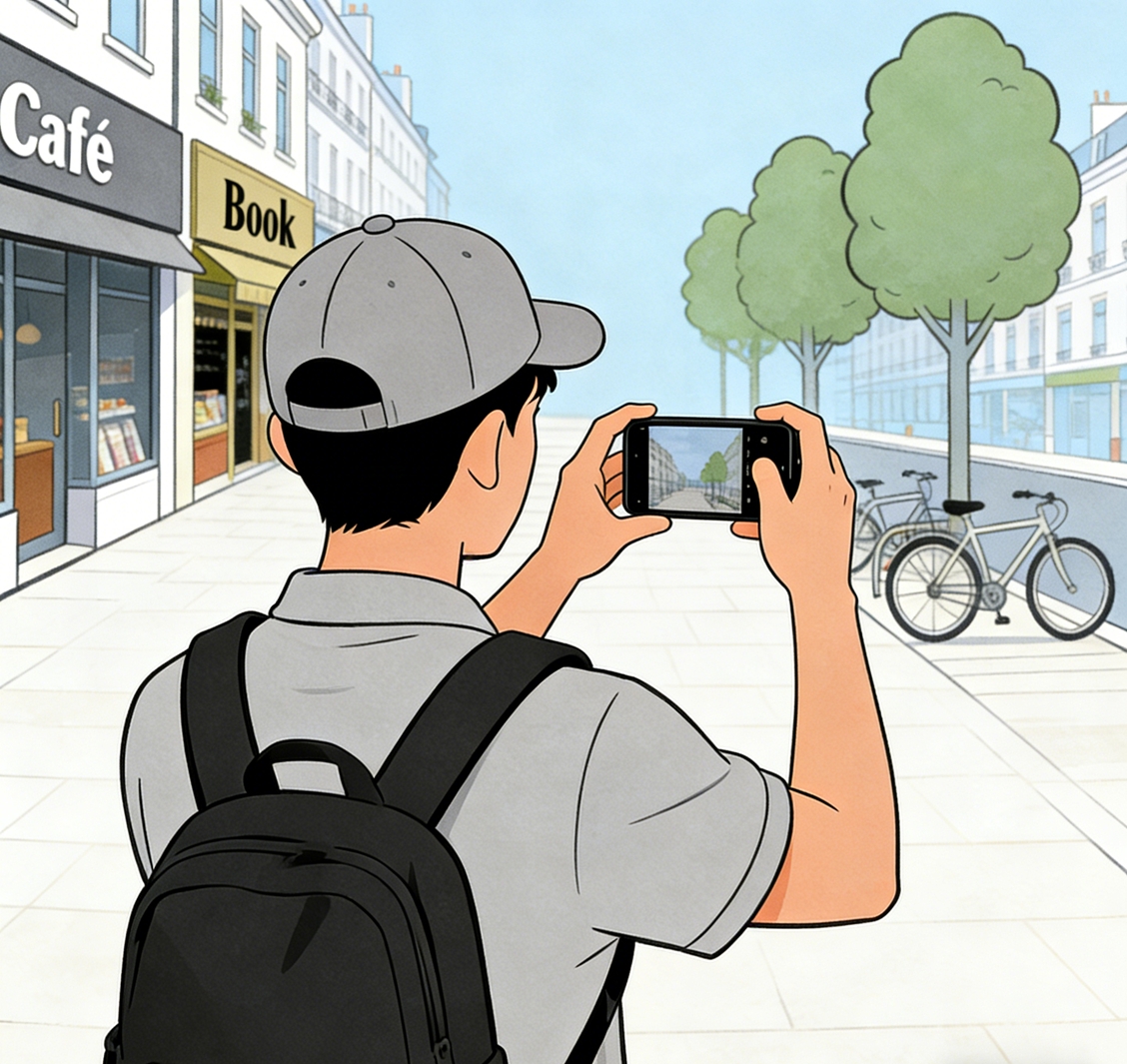
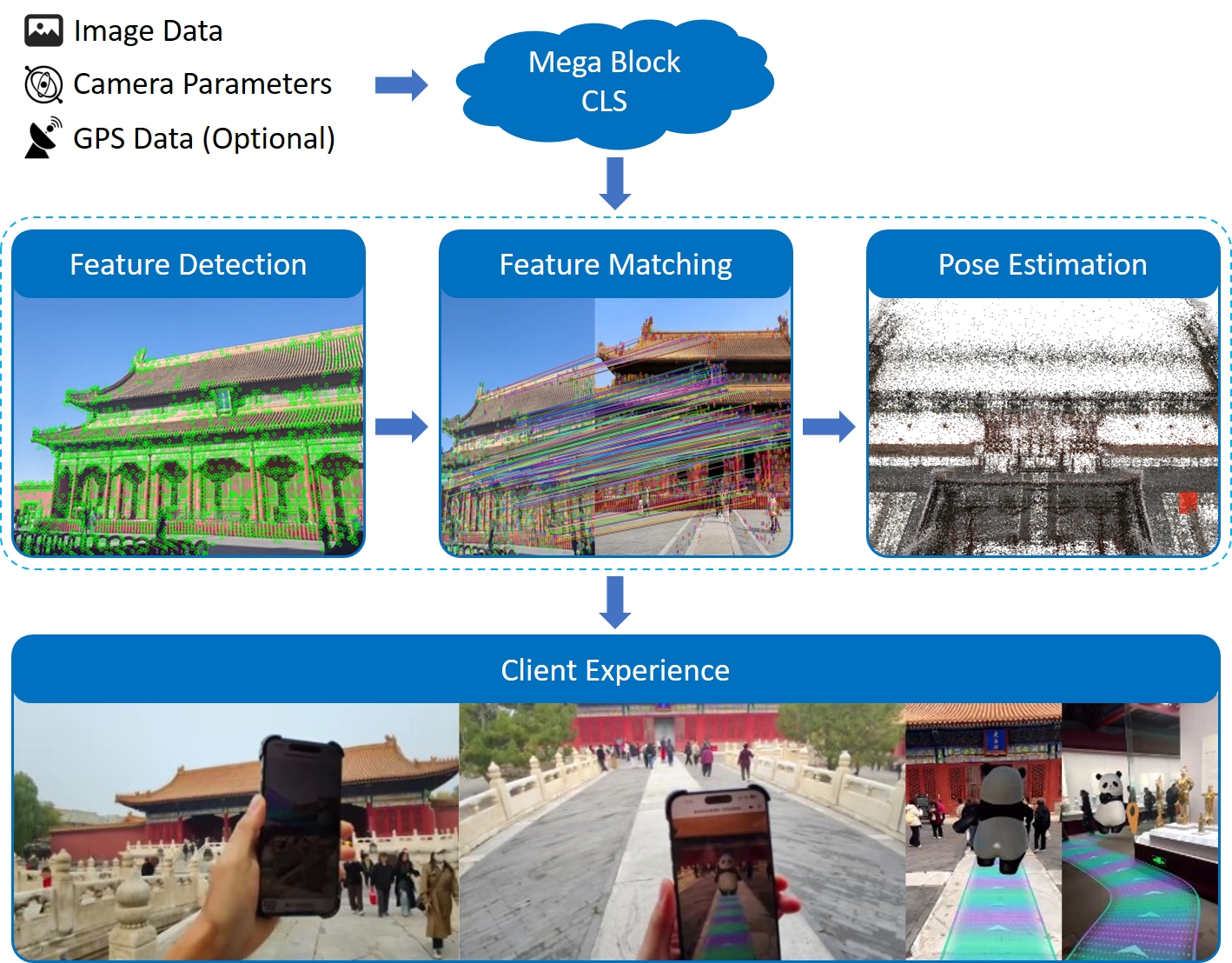
- The Mega cloud localization service extracts visual features from the uploaded image and quickly compares and matches them against the Mega Block maps in the localization library.
- Once matching succeeds, the system can calculate the user's exact pose, that is, position and orientation, in the map with centimeter-level accuracy.
- At this point, Mega cloud localization sends the solved pose to the application side, where it is fused with the device's own SLAM system for tracking.
- Finally, the application side obtains a pose that is localized in real time and continuously tracked, allowing virtual content to appear at pre-anchored positions in the physical world and continuously update as the person moves.
- The user opens the application. The device camera captures images in the user's field of view in real time and sends them to the Mega cloud localization service together with camera intrinsics, extrinsics if available, and auxiliary information if available, such as GNSS.
Tip
The implementation principle of Mega Go on-device localization is basically the same as Mega cloud localization. The only difference is that client-side localization happens entirely on the device locally and does not require any network request or cloud computing.
Effects and expected results
After successfully integrating EasyAR Mega, your application can achieve the following impressive effects:
- Centimeter-level accuracy: Compared with the meter-level or even tens-of-meters errors of GNSS, Mega localization can provide sub-meter or even centimeter-level localization accuracy, allowing virtual content to be stably "pinned" to specific positions in the real world.
- Persistent space: Virtual content can be placed anywhere in the physical world, and all users see consistent content at the same location.
- Real occlusion: Through Mega's spatial understanding capability, virtual objects can be occluded by real buildings or obstacles, greatly enhancing immersion.
- Works in areas without GNSS: In areas where GNSS signals are weak or unavailable, such as indoors, underground parking lots, urban streets lined with tall buildings, or dense mountain forests, Mega can still provide stable and reliable localization services.
The video shows a typical example of using EasyAR Mega:
- High-precision, persistent spatial localization lets virtual content fit perfectly onto building surfaces, presenting beautiful dynamic videos and carefully designed large 3D posters.
- Real occlusion brought by spatial understanding allows fireworks blooming in the sky and digital effects to blend naturally with the surrounding environment.
- With advanced visual algorithms, the entire experience remains stable even in complex, dense crowd environments, and can work reliably even at night.
Possible undesirable situations
Slow localization recognition
In densely crowded areas such as large event sites, Mega cloud localization latency may be relatively high due to network latency, concurrent requests, and other factors. Users may need to wait for some time before seeing virtual content.
Note
When using Mega Go on-device localization, localization speed is jointly determined by the spatial range and the computing capability of the terminal device. The latter is the biggest factor affecting localization recognition speed, and response latency may vary across devices.
Errors caused by environment changes
If the physical environment changes drastically, such as construction fencing or seasonal vegetation changes, localization accuracy may decrease or be lost. Mega maps need to be updated regularly to adapt to environment changes.
Drifting during continuous experience
Mega localization is fused with the device's own SLAM system for tracking on the application side and keeps the camera running continuously. Long-term operation may cause the device CPU to throttle, leading to image stutter or frame drops, tracking scale drifting, and other phenomena.
Tip
For more detailed effect abnormalities or failures, refer to the troubleshooting section:
Extended suggestions
If you encounter service failures, scene changes, business scaling, or other non-programming development issues while integrating EasyAR Mega, visit our Mega user guide.
In that guide, you can find:
- Service creation: learn how to create Mega services and perform simple troubleshooting.
- Effect optimization: learn how to preview runtime effects, collect abnormal data, perform cold start monitoring, and more.
- Persistent operations: learn how to handle scene changes, business scaling, migration/upgrade, and other persistent operation needs.
- Business integration: become familiar with practical business data such as navigation road networks.
- Reference resources: operation manuals for practical tools such as Mega Toolbox.
Through this article, we hope you now have a clear understanding of the working principles and effects of EasyAR Mega. Next, you can start preparing your first Mega project.
Platform-specific guides
The integration method of EasyAR Mega is closely related to the platform. Develop according to the following guides for your target platform:
- Enable Mega
- Use Mega cloud localization service
- Use Mega Go on-device localization
- Content display
- Run and validation
- Component reference
Important
Mega Go currently supports development only through the Unity platform.